Case study
Cosmology and Astrophysics with Machine Learning Simulations
Role
Human-Computer Interaction Designer
Team
Francisco Villaescusa-Navarro, Shy Genel, Daniel Anglés-Alcázar and Joel Guerrero
Timeline
August to September 2026
Built with
Streamlit, React, FastAPI, Figma
Abstract
Designing an interface to the CAMELS simulation library
CAMELS is a public library of thousands of simulated universes that researchers use to train machine learning models and to test how well current theories describe the formation of galaxies. Although the data is open, using it has required familiarity with a deeply nested archive, its file formats and a query service that is now being retired, and a single request without a filter can ask for several terabytes.
This case study describes how our team designed CAMELS Explorer, a web application that lets researchers ask questions of the library without first learning how it is stored. We began by building a rough prototype to understand the data, documented its structure as a set of diagrams, and studied the tool researchers were already using before we designed the interface itself. The sections below report what each of these stages taught us, the decisions we made as a result, including some we later reversed, and a problem with the interface’s categories that we recognised only late in the project.
2.9 billion
Rows in the catalog
241
Fields describing each row
19
Statistics available to plot
1 to 3 TB
Requested by one unfiltered query
Introduction
The project began with a single question: what would it take for someone who had not spent a week learning the archive’s file formats to ask CAMELS a real question and see the answer?
Astronomers can observe only one universe, so they can never check their conclusions against the settings that produced it. CAMELS addresses this by running thousands of simulations, each with slightly different physical assumptions, and recording which assumptions produced which result. Finding a single file in the archive requires six choices made in a fixed order: the kind of data, the simulation program (called a suite), the resolution, the group of runs (called a set), the individual run, and one of 34 moments in time.
At the outset we did not understand the data well enough to design for it, so the work proceeded in four overlapping stages. Each stage produced something the next one depended on, and each changed what the next one was designing for.
01
Prototype
We built a rough Streamlit application on the live archive to learn what it actually contained.
02
Structure diagrams
We documented the archive in plain-language diagrams that the team designed against and shared with the CAMELS team.
03
Audit of FlatHUB
We walked through FlatHUB and the scripts researchers ran with it, recording where each step broke down.
04
Design and implementation
We wireframed the full flow, built a design system in code and Figma, and fed feedback from demos back into the design.
A prototype for learning the data
The documentation describes CAMELS from the point of view of the people who built it, and we needed to understand what a newcomer would actually encounter.
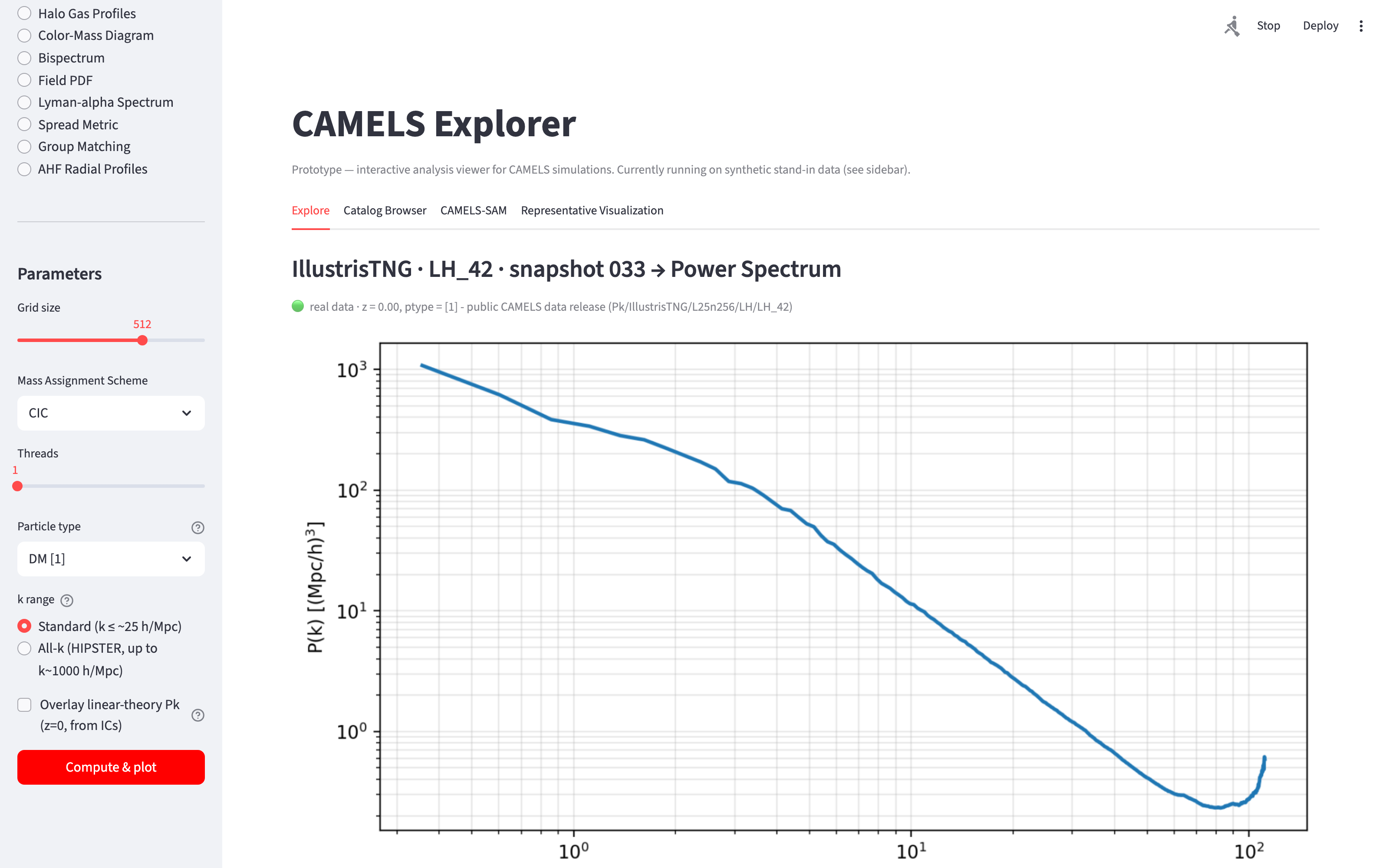
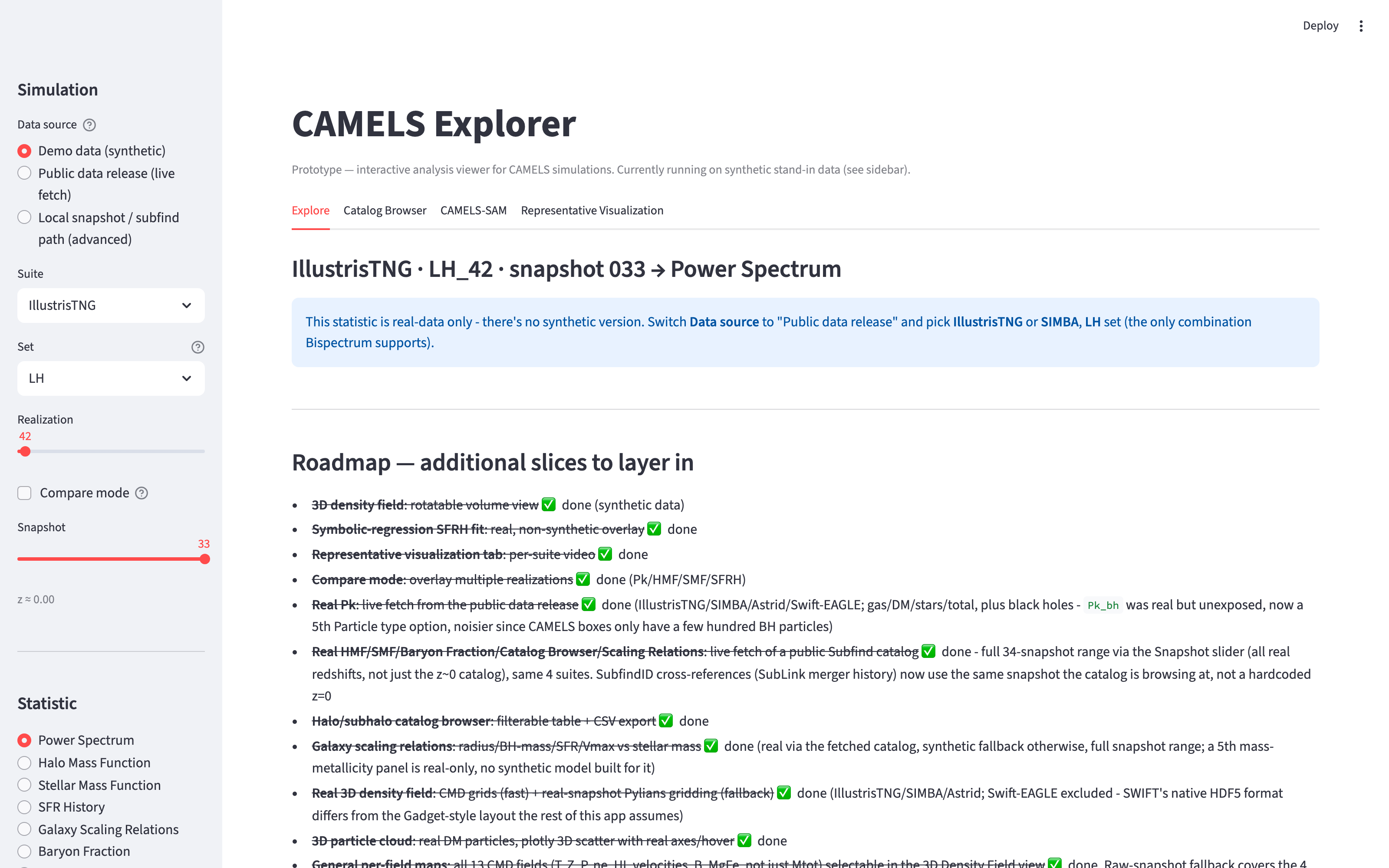
Our first build was a Streamlit application with a sidebar of choices and four tabs, one of which was dedicated to CAMELS-SAM. Within a week it was plotting 15 statistics from the live archive. We never intended to ship it; its purpose was to expose the places where the data behaved in ways the documentation did not describe.
On opening
With live data
Figure 1
The prototype stated when it was running on stand-in data and labelled each real plot with the folder it came from. The Mass Assignment Scheme control in its sidebar is discussed again under design decisions.
Uneven and partly undocumented coverage
Some sets exist for one suite but not another, some folders exist but refuse access, and several useful products are documented nowhere. An interface that assumed every choice was available everywhere would have shown researchers results that did not exist.
Inconsistent formats for the same information
One group of runs describes its settings in 8 columns and another in 30. An older scheme only numbered its parameters, and we identified each one by comparing how strongly it changed the results.
Large differences in the size of runs
Across the 1,000 runs of the main set, folder sizes range from about 77 GB to 302 GB, so any estimate of how long a request would take could be wrong by a factor of four.
The risk of stand-in data
The prototype filled gaps with clearly labelled illustrative curves. When we rebuilt the interface, those curves were carried over without their labels and made incomplete plots look finished, so we removed them and made every plot either real or visibly empty.
Mapping the data before designing for it
The prototype showed us what the archive contained, but the team still lacked a shared picture of how it was organised.
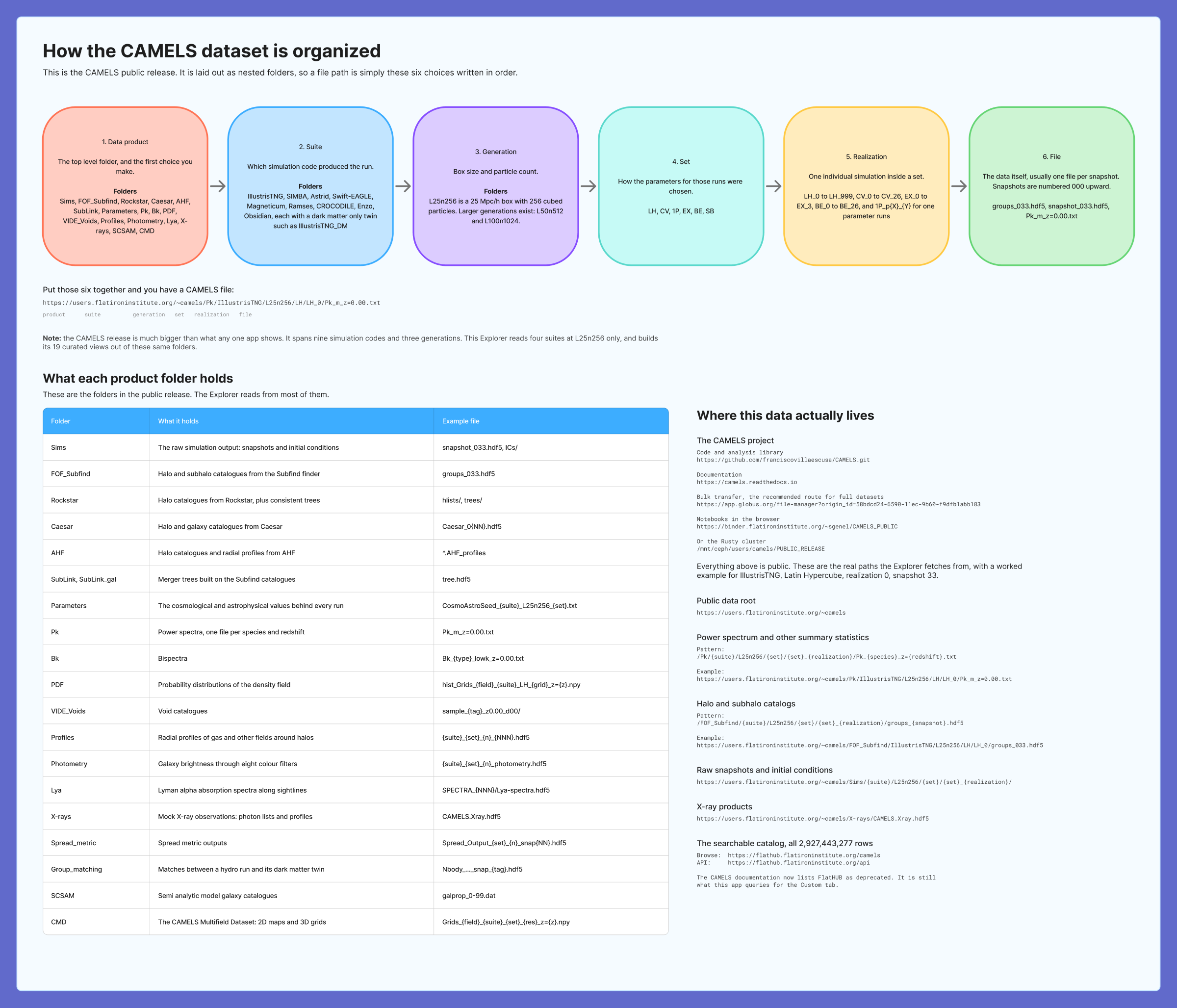
Before drawing any screens, we documented the structure in Figma as a series of plain-language diagrams, each answering a single question. These diagrams became the reference the team designed against and the first thing we showed anyone who joined the project.
Figure 2
How is the archive organised? A file’s address is made up of six choices, and 20 product folders hold everything from raw snapshots to galaxy colours. Writing this down also made the project’s scope explicit, since the release includes nine simulation programs, of which the Explorer reads four.
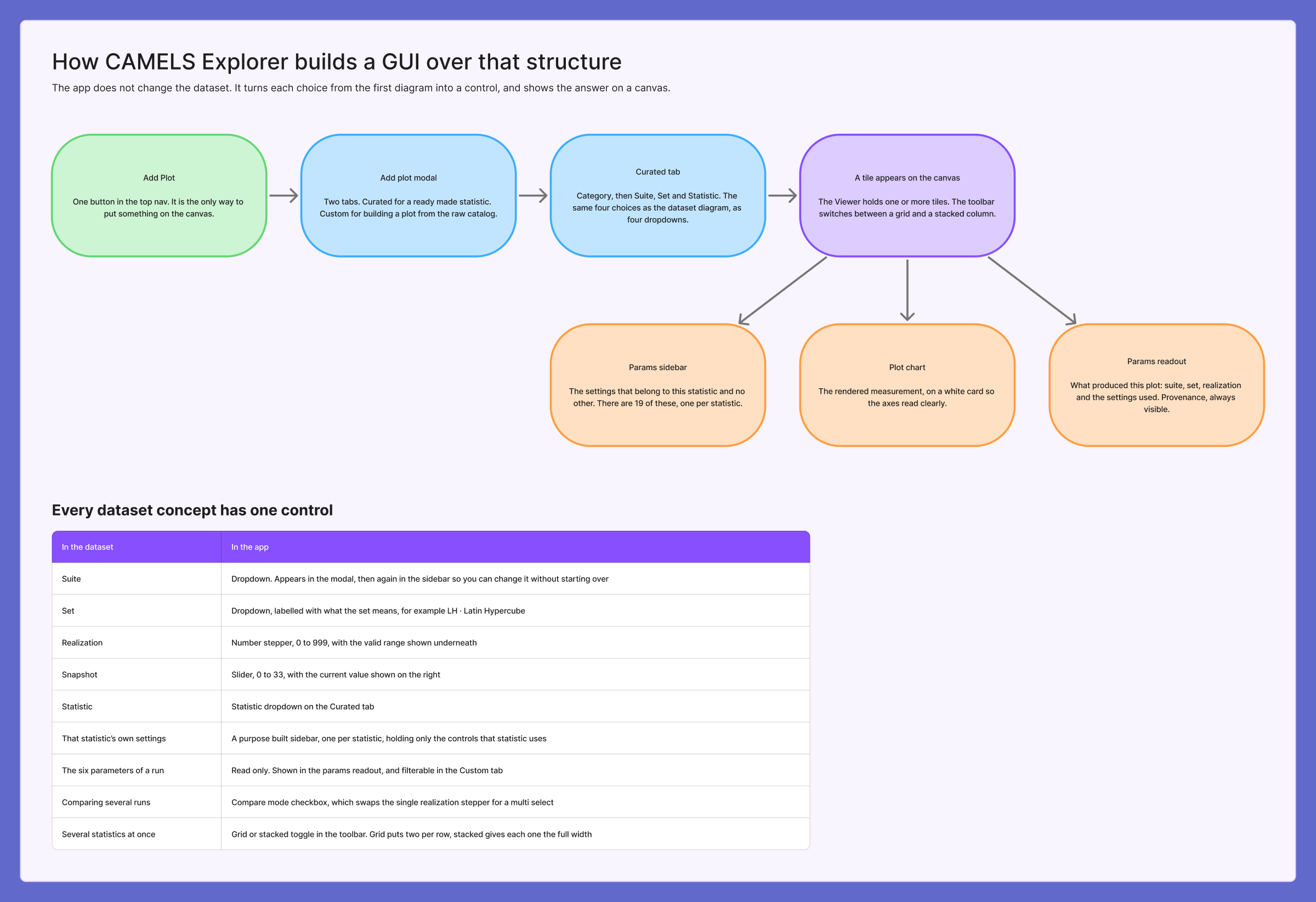
Figure 3
How does the interface map onto it? Every concept in the data is given one control. Sets are labelled with their meaning as well as their code, the run stepper shows its valid range, and the suite appears again in the sidebar so that it can be changed without starting over.
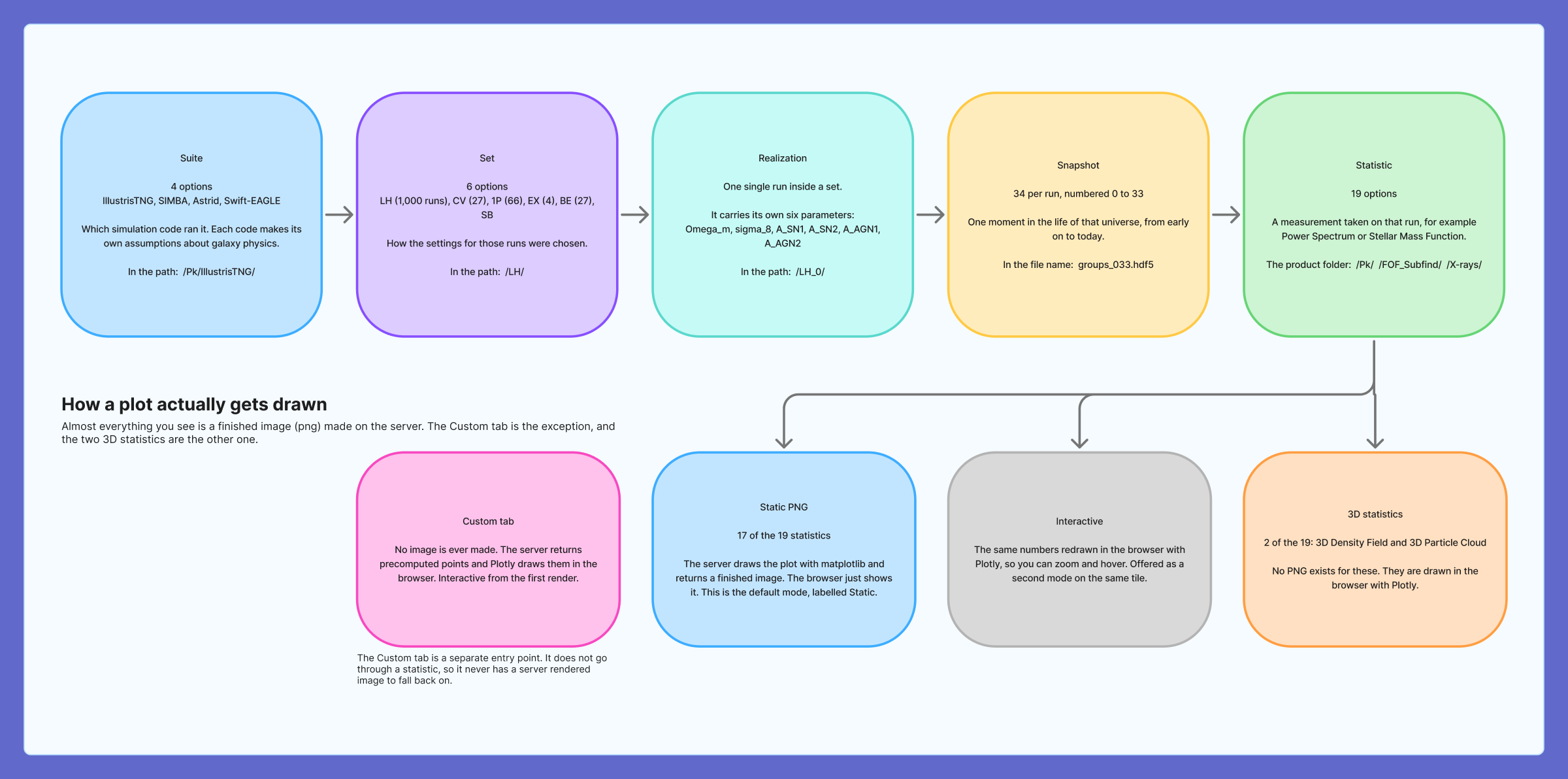
Figure 4
In what order does it ask? Suite, set, run and snapshot are chosen first and the statistic last. Comparing this diagram with Figure 2 reveals a reversal we did not notice at the time, because the archive asks for the data product first. CAMELS-SAM is stored as a product folder, so the interface carried it into the statistic list.
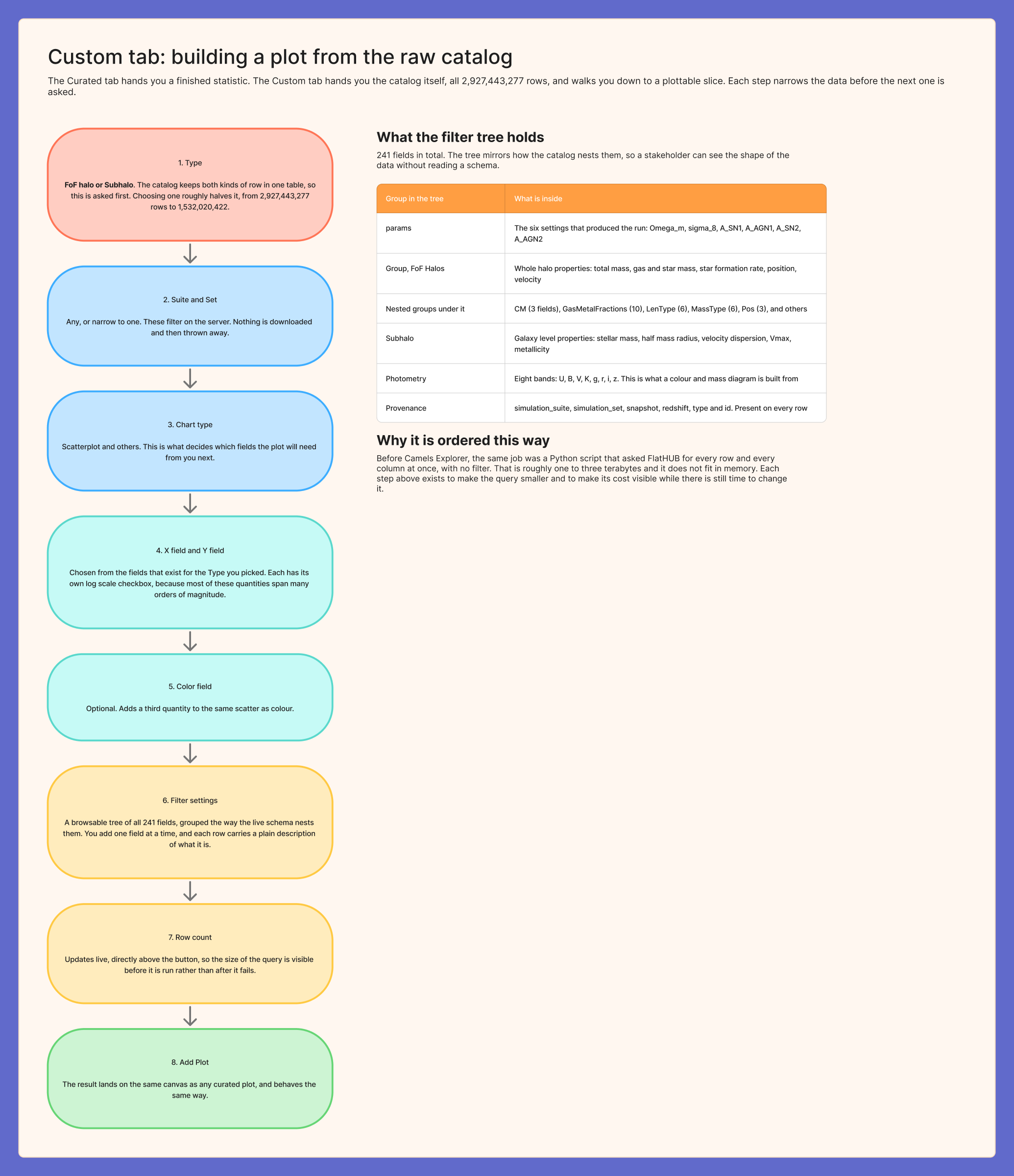
Figure 5
How does a researcher get from three billion rows to one plot? The Custom tab is designed as eight steps, each of which narrows the data before the next is asked, ending with a live row count above the button that runs the query.
Studying FlatHUB, the tool being retired
Partway through the project we confirmed that the CAMELS documentation lists FlatHUB as deprecated, which meant our design could not simply be an improved version of it.
FlatHUB was the only way to reach the catalog, and researchers usually reached it through a short Python script like the one below. Reading that script closely explained most of what our custom plotting would need to do, and the numbers on it refer to the notes that follow.
import flathub
camels = flathub.Catalog("camels", endpoint="https://flathub.flatironinstitute.org/api")
dat = camels.numpy(fields=[ 2 ... 122 column names 3 ... ]) 1 4
1
The query has no filter
Nothing on line three narrows the request, so it asks for all 2.9 billion rows, between one and three terabytes, and runs until the computer runs out of memory.
2
Two kinds of row share one table
Halos and galaxies are stored together and each row fills only its own columns, so requesting columns for both returns a result that is mostly empty.
3
Columns are chosen by hand
The list names 122 of the 241 available columns, and the ones left out include every column describing the chemistry of the gas.
4
Filtering happens after the download
Suite and set can only be narrowed once the data has arrived, after the expensive part of the request is already over.
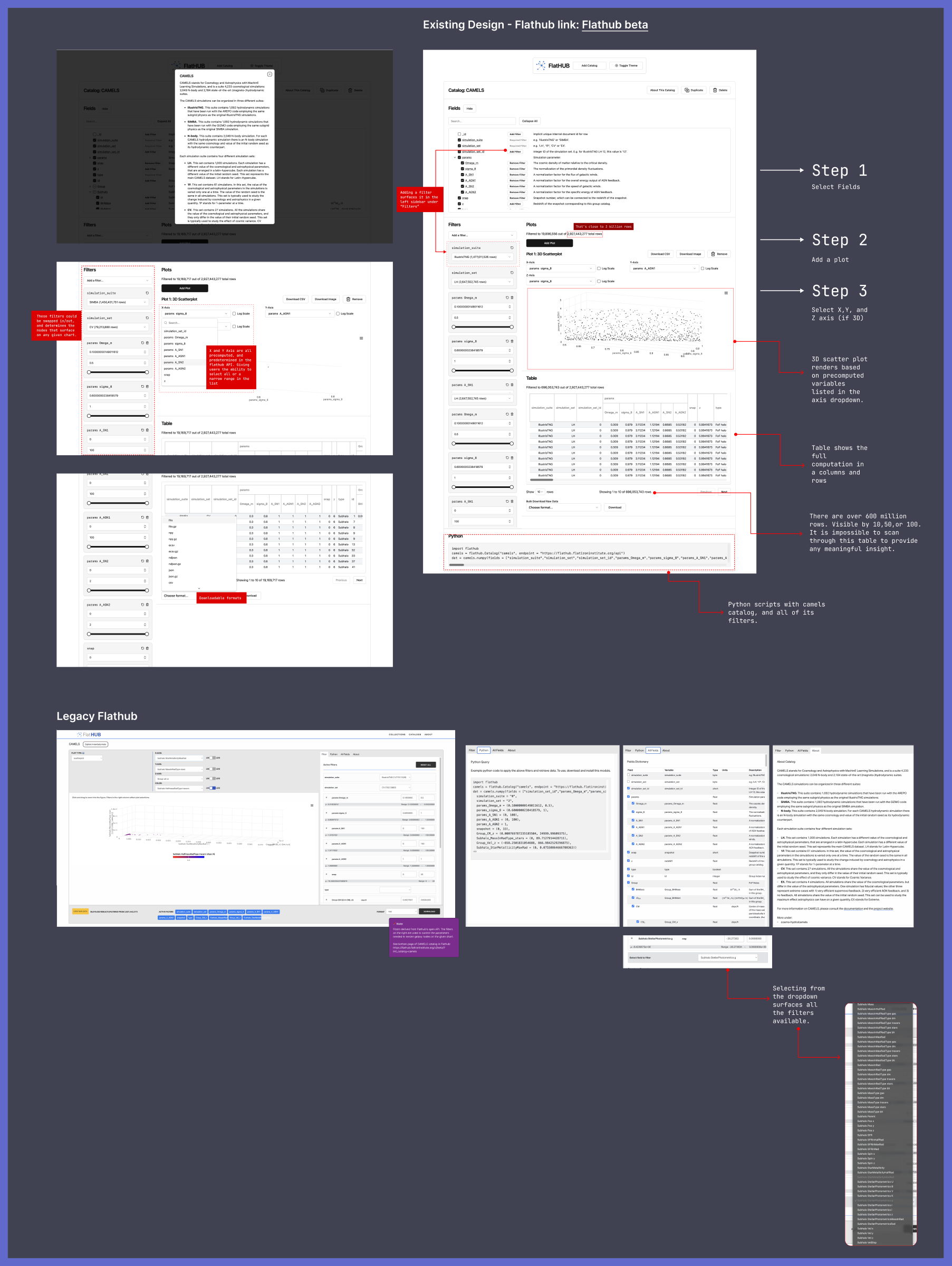
Figure 6
A typical catalog request from before the Explorer, annotated with the four problems it contains.
Figure 7
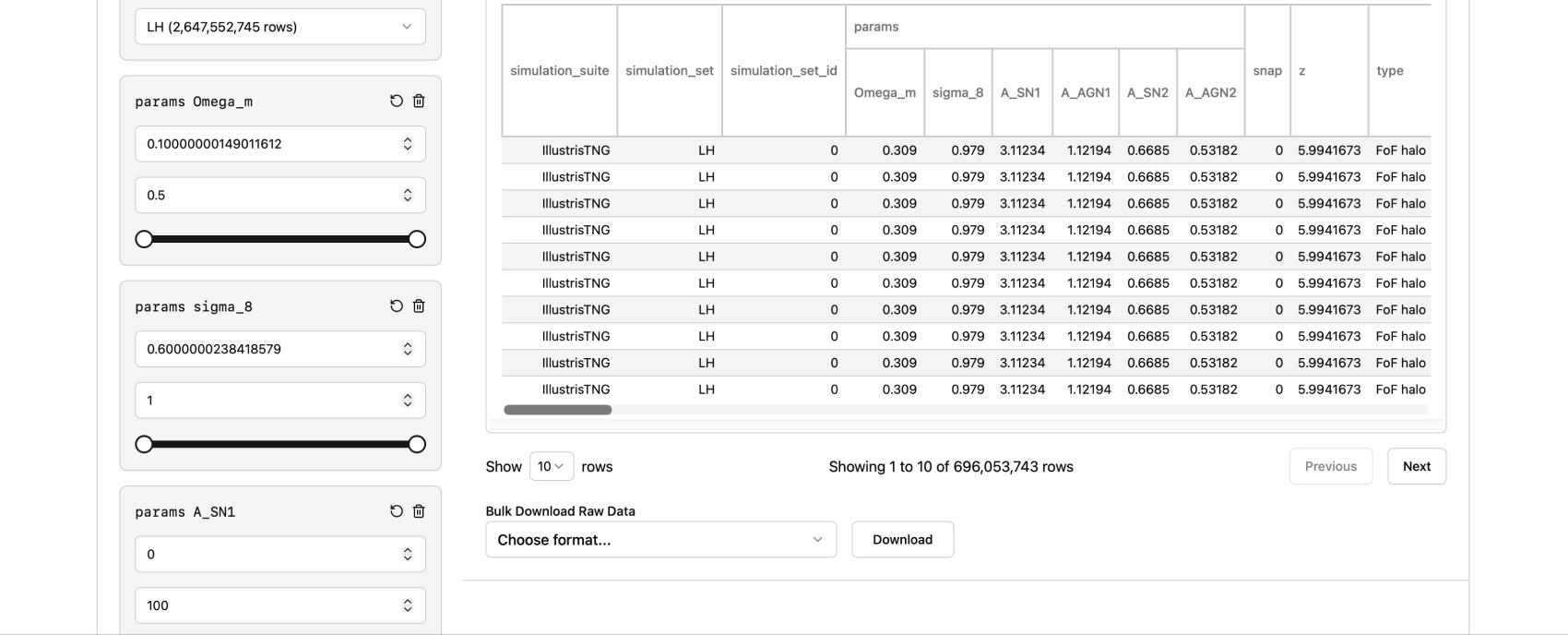
Our walkthrough of the FlatHUB interface. Its sidebar of removable filters was worth keeping, but its results were presented as a table of more than 600 million rows that could only be read ten at a time.
Design decisions
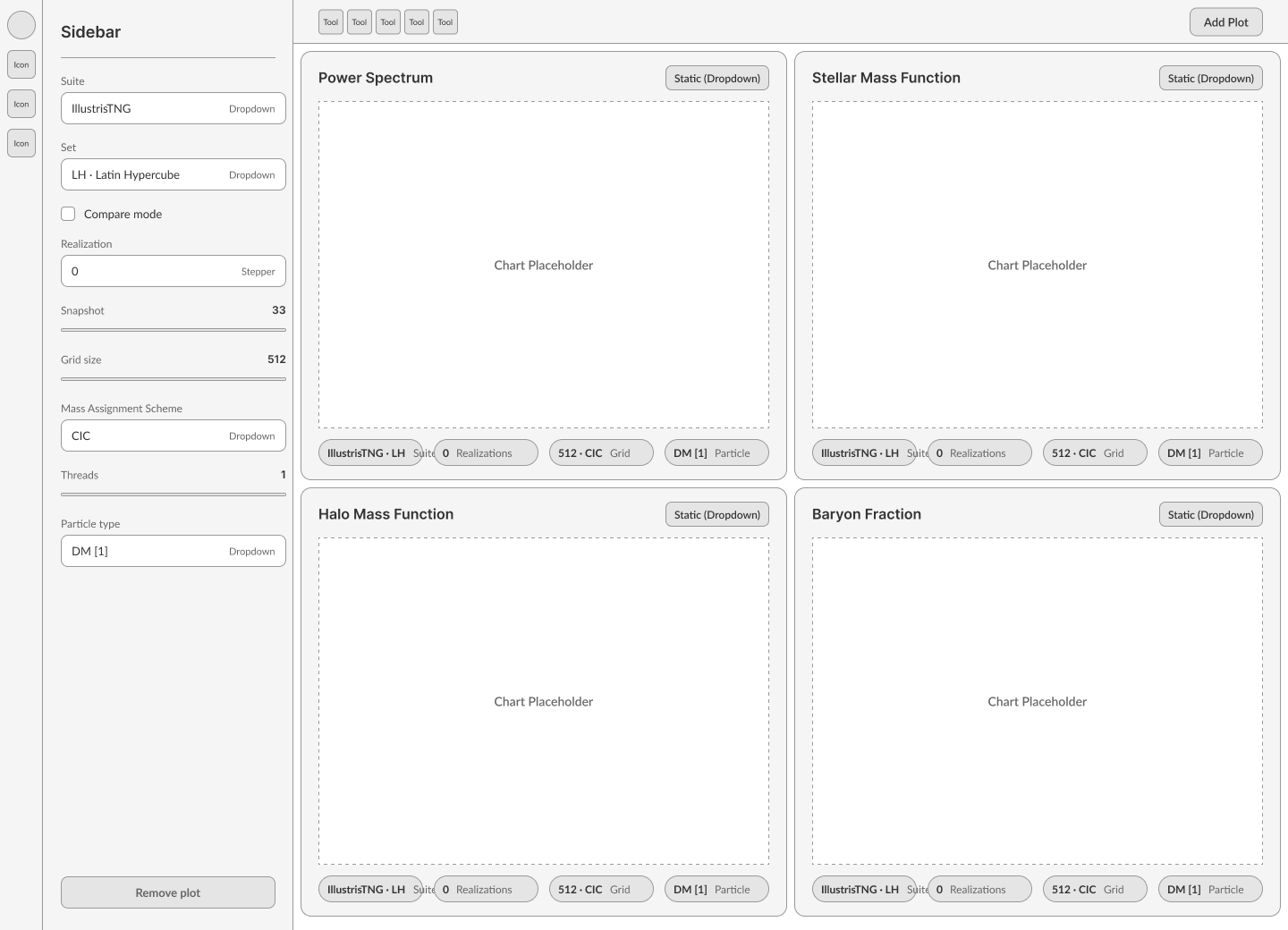
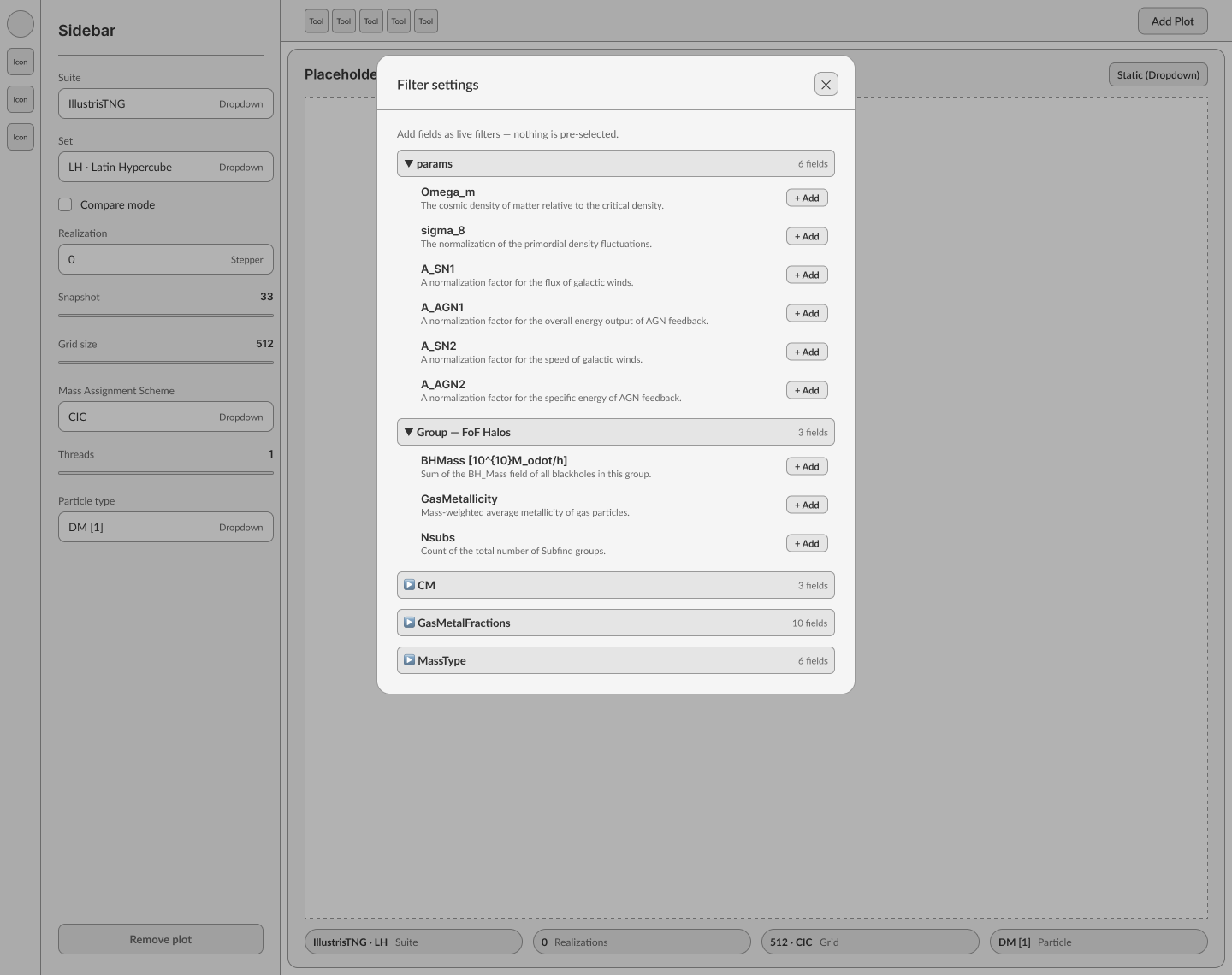
We wireframed the complete flow, from an empty canvas to a comparison of four plots, before designing any final screens.
Five decisions shaped the result. For each, we record the problem it addressed, what we chose and what the choice cost.
Empty canvas
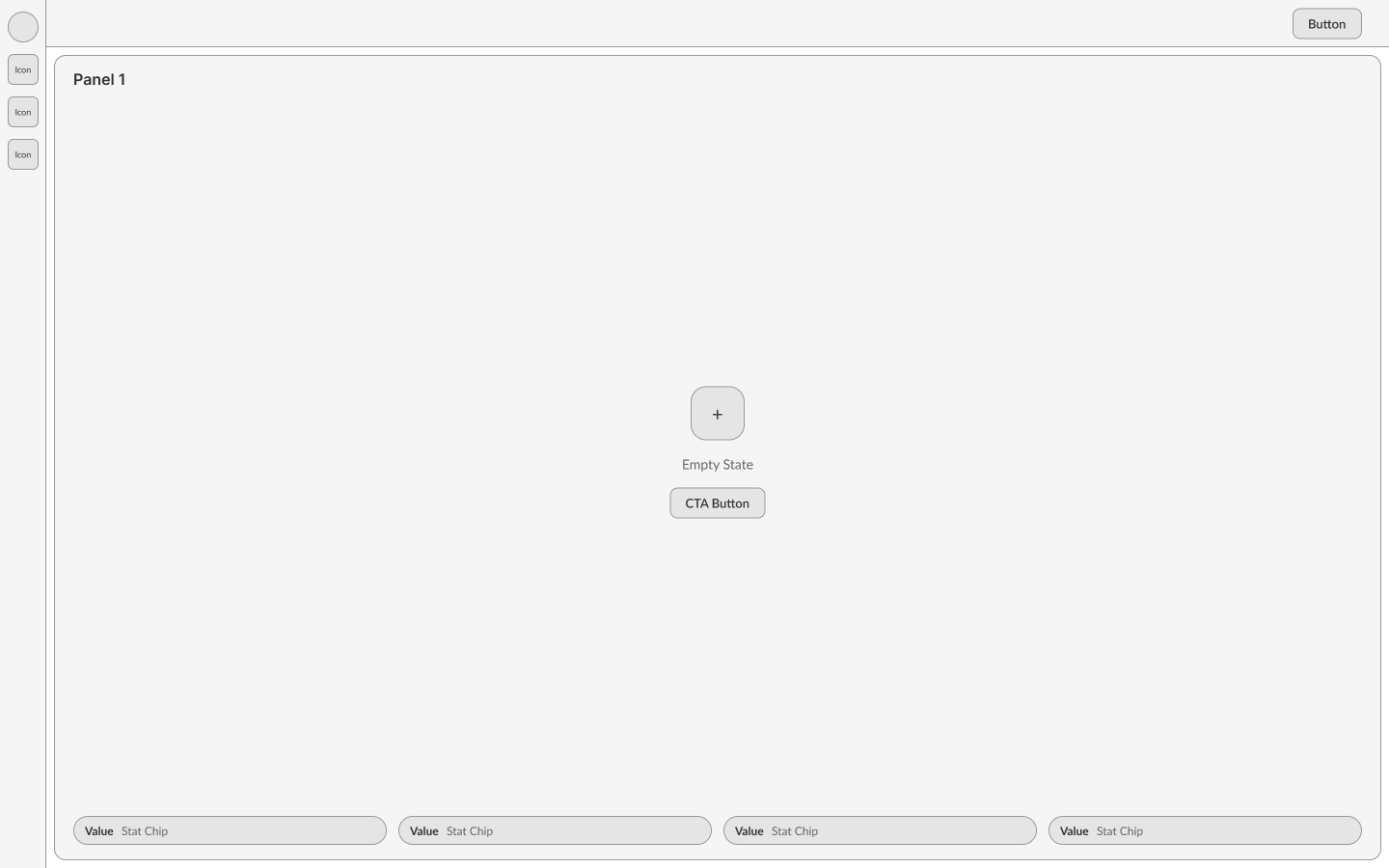
Add a plot
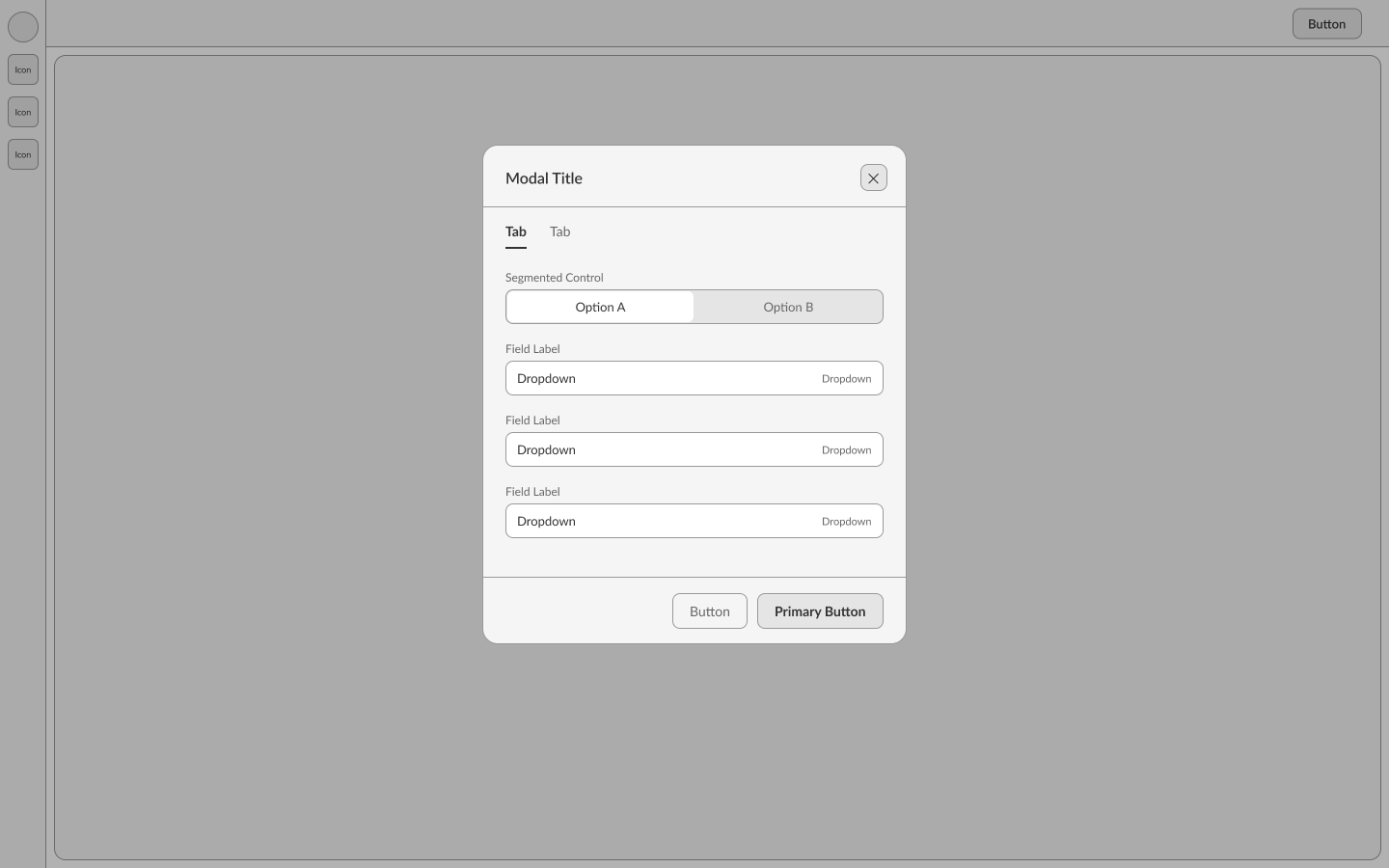
Filter settings
Four plots
Figure 8
Wireframes for the full flow. The Mass Assignment Scheme control already appeared here, before we knew whether it could be made to work.
01
A single canvas for different ways of working
Problem
Researchers sweep across many runs, examine a single run closely, and work through analyses step by step.
Chose
We placed plot tiles on one canvas and made ready-made statistics the default starting point, instead of building separate views for sweeping, viewing and note-taking.
Cost
Sweeping and notebook-style analysis are supported less directly and remain future work.
02
Separate entry points for known and new questions
Problem
Most questions concern a well-known measurement, but some concern something nobody anticipated.
Chose
A Curated tab offers 19 statistics, and a Custom tab gives direct access to the catalog.
Cost
People have to choose between them, so we placed both as tabs in the same dialog, where the choice is visible and easy to reverse.
03
Narrowing a query before it is sent
Problem
The script failed silently and late, when the computer ran out of memory.
Chose
The Custom tab asks for the kind of row first, which halves the table from 2,927,443,277 rows to 1,532,020,422. It filters suite and set on the server and shows a live row count above the button.
Kept
We kept FlatHUB’s sidebar of removable filters.
04
Comparison across runs and across suites
Problem
A result that holds in all four suites is trustworthy, while one that appears in only a single suite may be an artefact of that program.
First version
The first version compared runs within a single suite.
Revised
After reading how CAMELS’ own papers test their results, we added comparison by suite as well as by run.
05
Disclosing controls that are not yet connected
Problem
The Mass Assignment Scheme control changed nothing, and a tester told us so: “I don’t see anything changing.”
Considered
We considered removing the control or building the heavy computation it implied.
Chose
We kept the control and stated on screen that it is not yet connected, because in a scientific tool a plot that looks correct but is not is worse than an empty one.
Wireframe
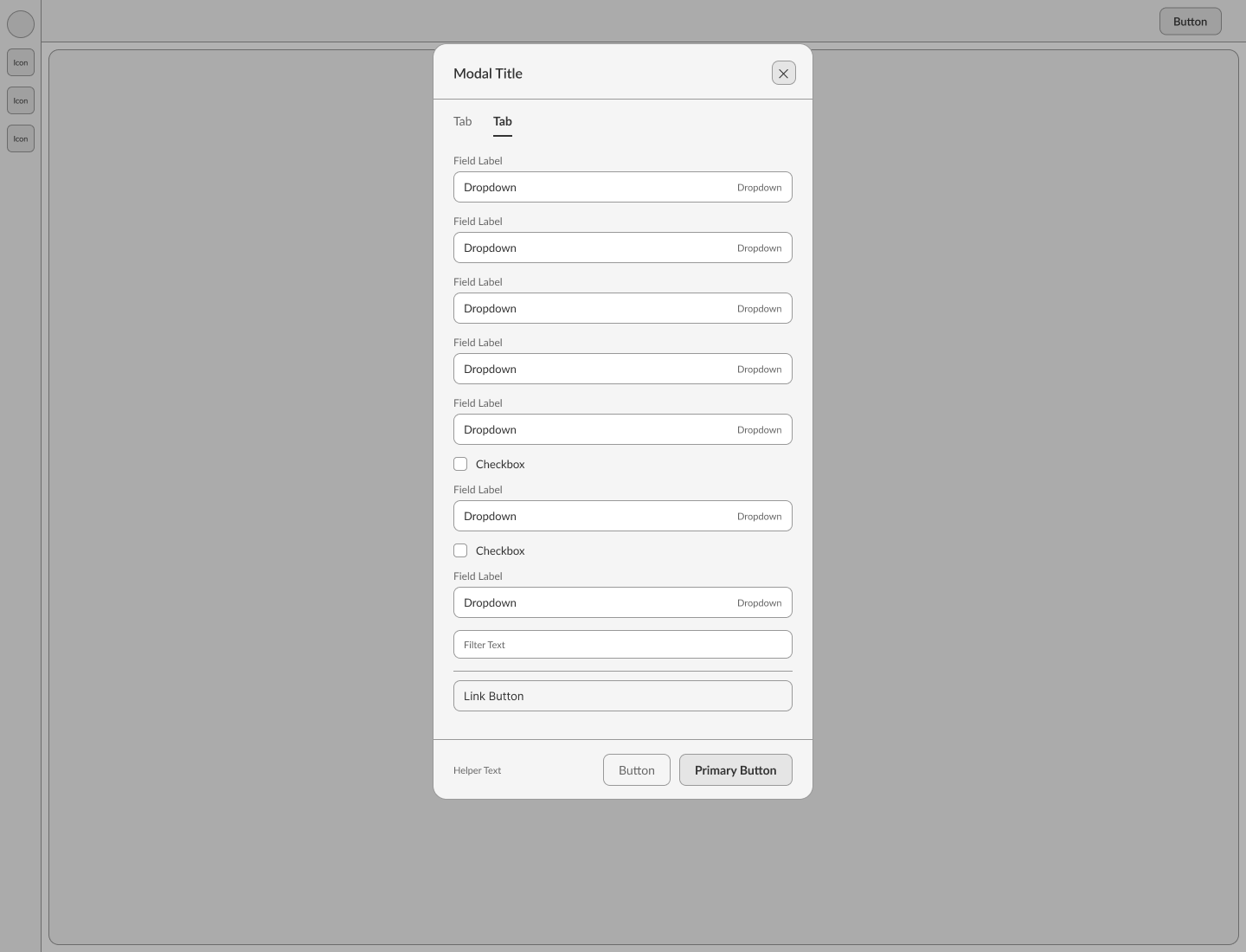
Final
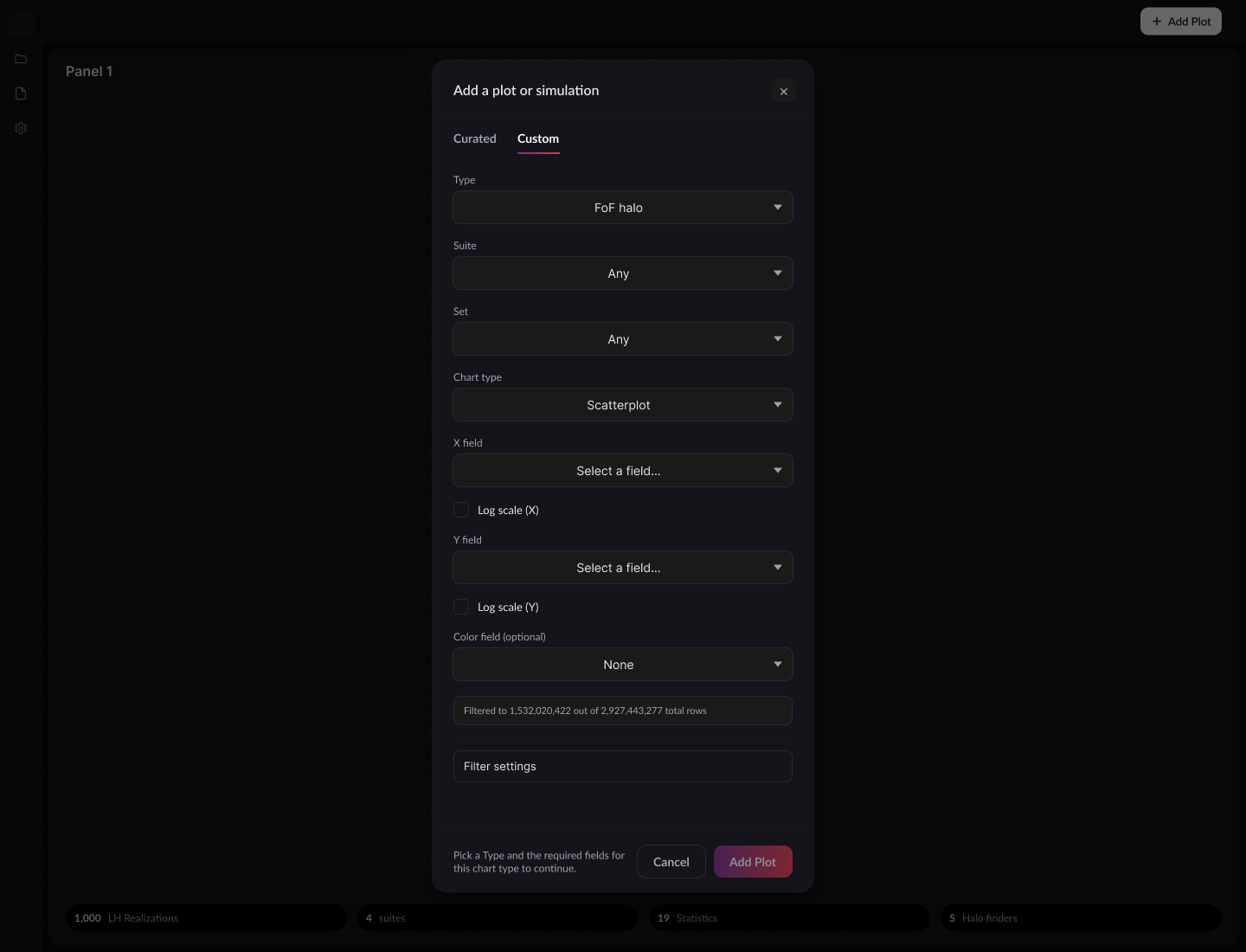
Figure 9
The Custom tab from wireframe to final design. The row count above the button is our response to the script discussed earlier.
Wireframe
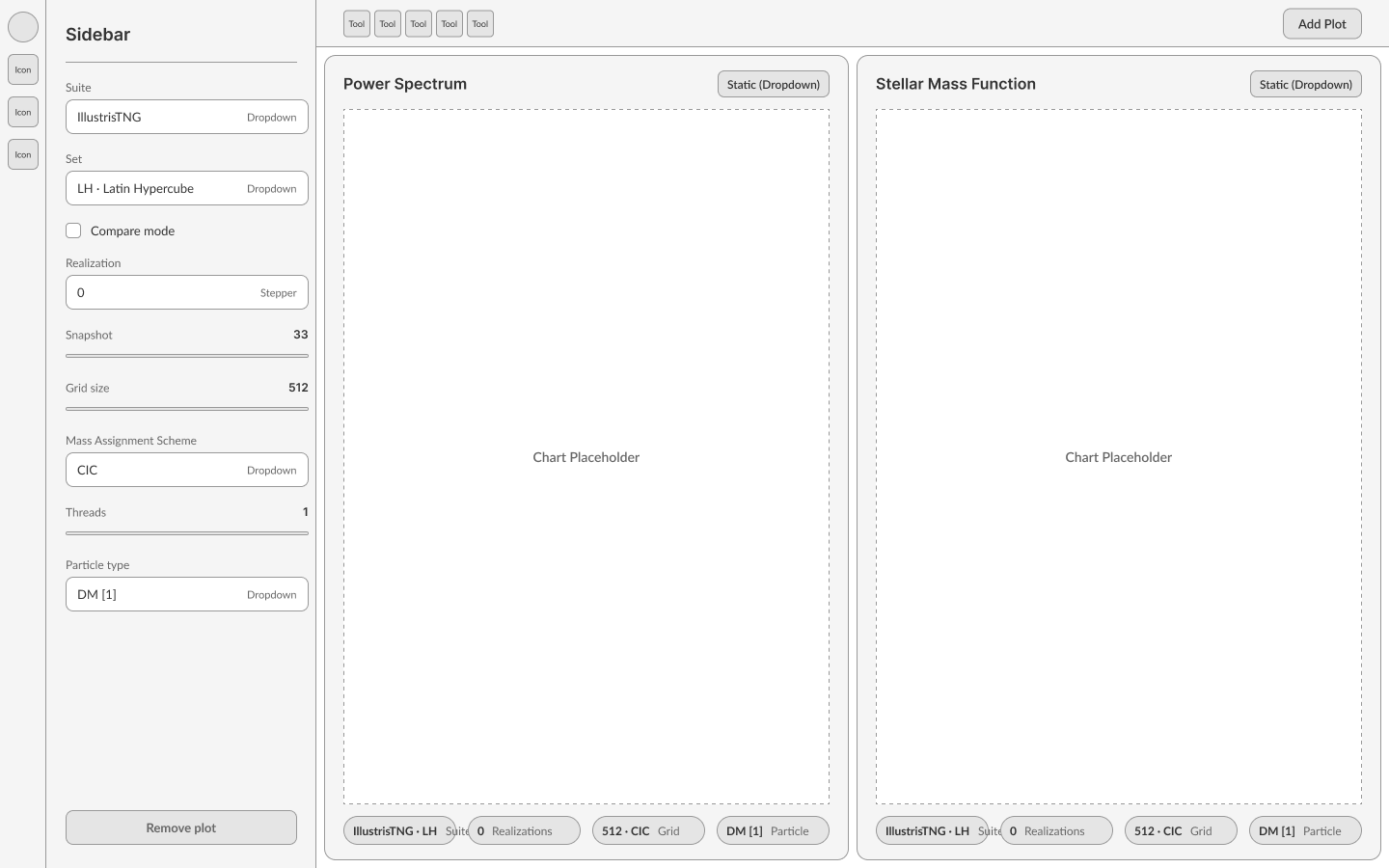
Final
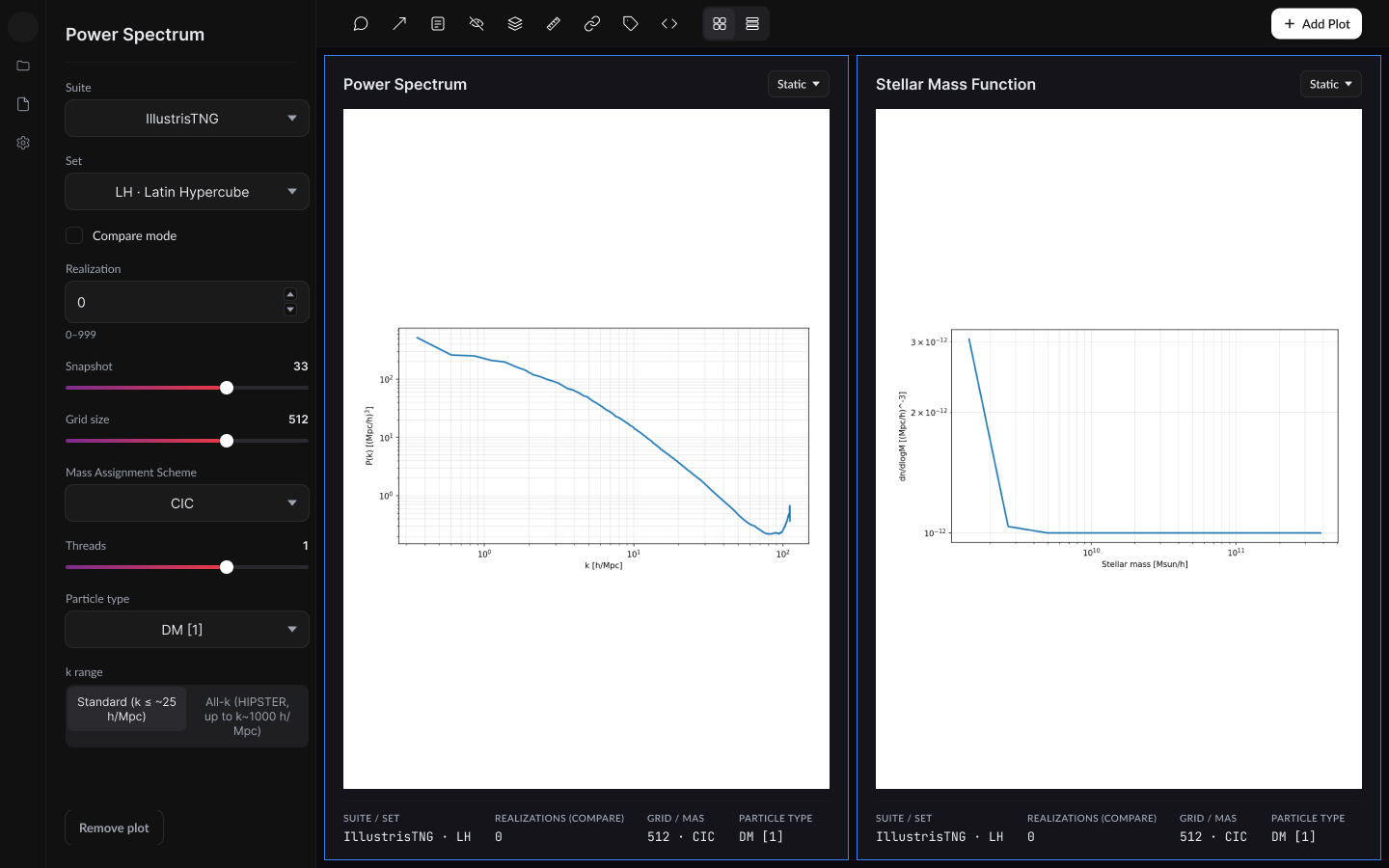
Figure 10
Two statistics compared side by side, from wireframe to final design.
The Explorer in use
The following eight screens come from the finished design, and each shows a question that previously had to begin with a script.
Several of these views had no equivalent in the old tool, including comparing dozens of universes at a glance, rotating a volume of simulated matter, and reading undocumented products as plots.
Plate 1

The 2D Field Map grouped six by six, showing gas metallicity across 36 of SIMBA’s cosmic variance runs, which differ only in their starting randomness. The variation between tiles is what a researcher is looking for.
Plate 2

The same view arranged as a three by three grid, showing total matter density for nine IllustrisTNG runs with different settings.
Plate 3
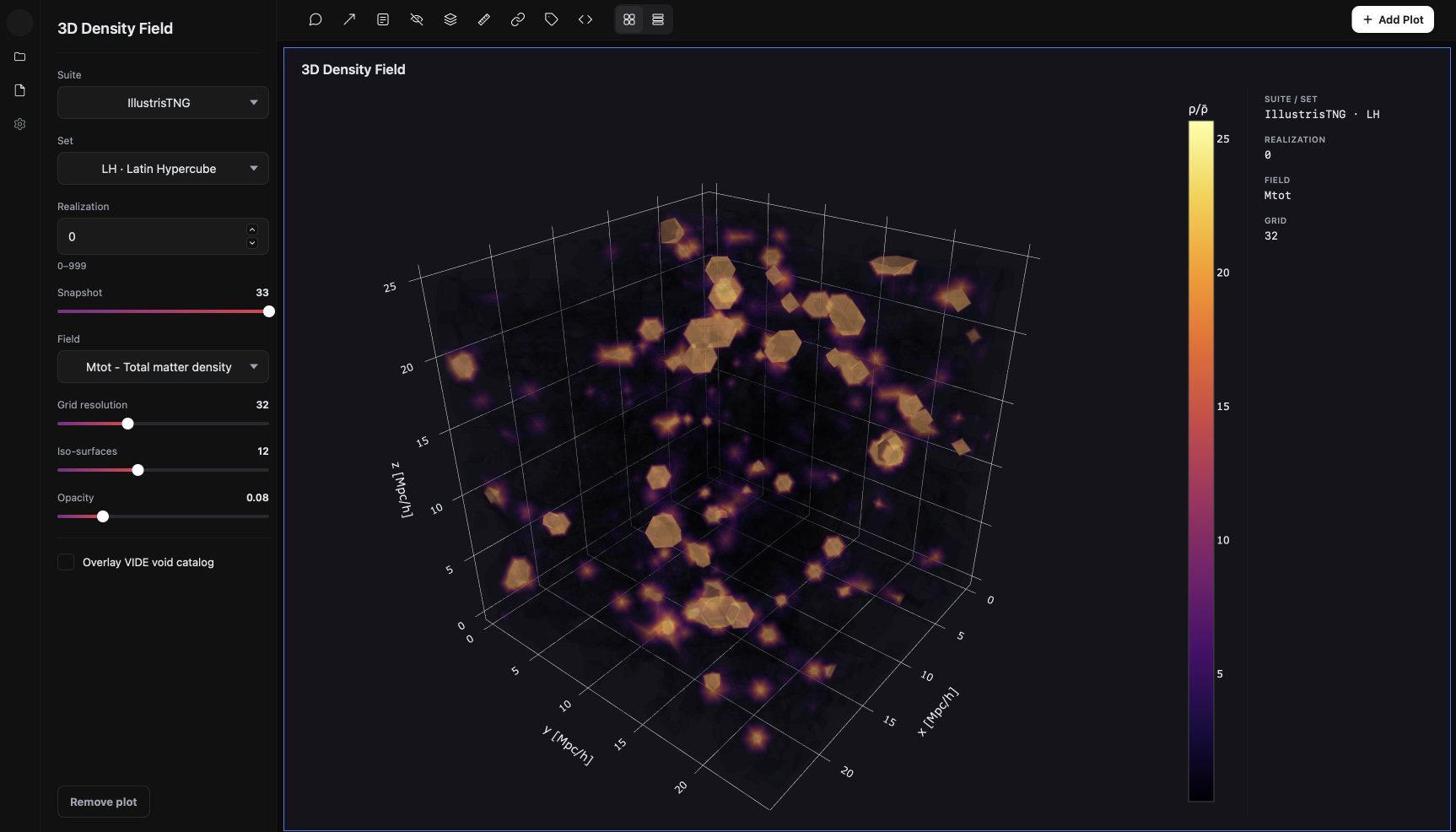
The 3D Density Field is drawn in the browser so that it can be rotated, with controls for grid resolution, iso-surfaces and opacity in the sidebar.
Plate 4
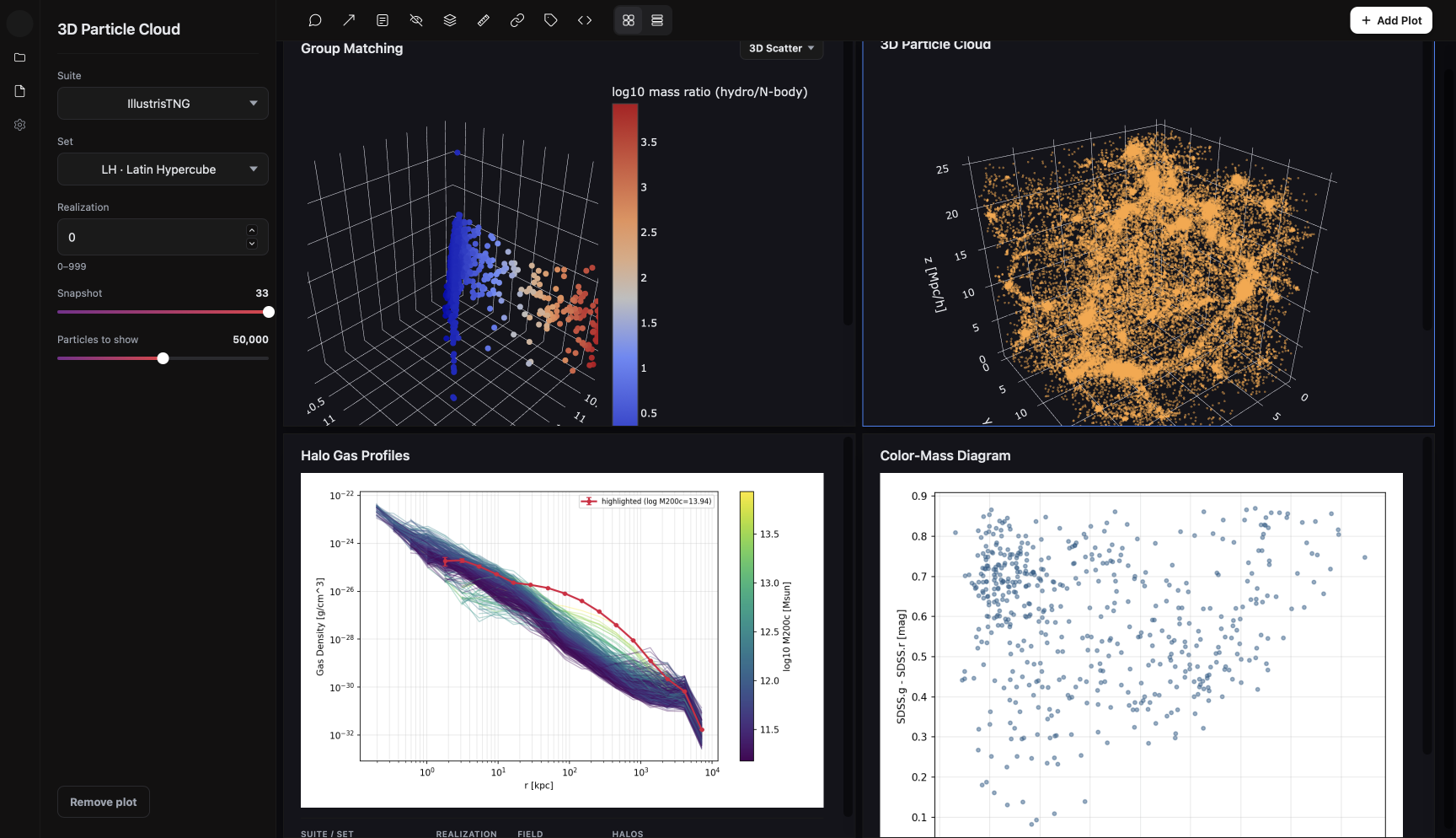
Four statistics share one canvas, each with its own settings and readout: group matching, a 3D particle cloud, halo gas profiles and a colour and mass diagram.
Plate 5
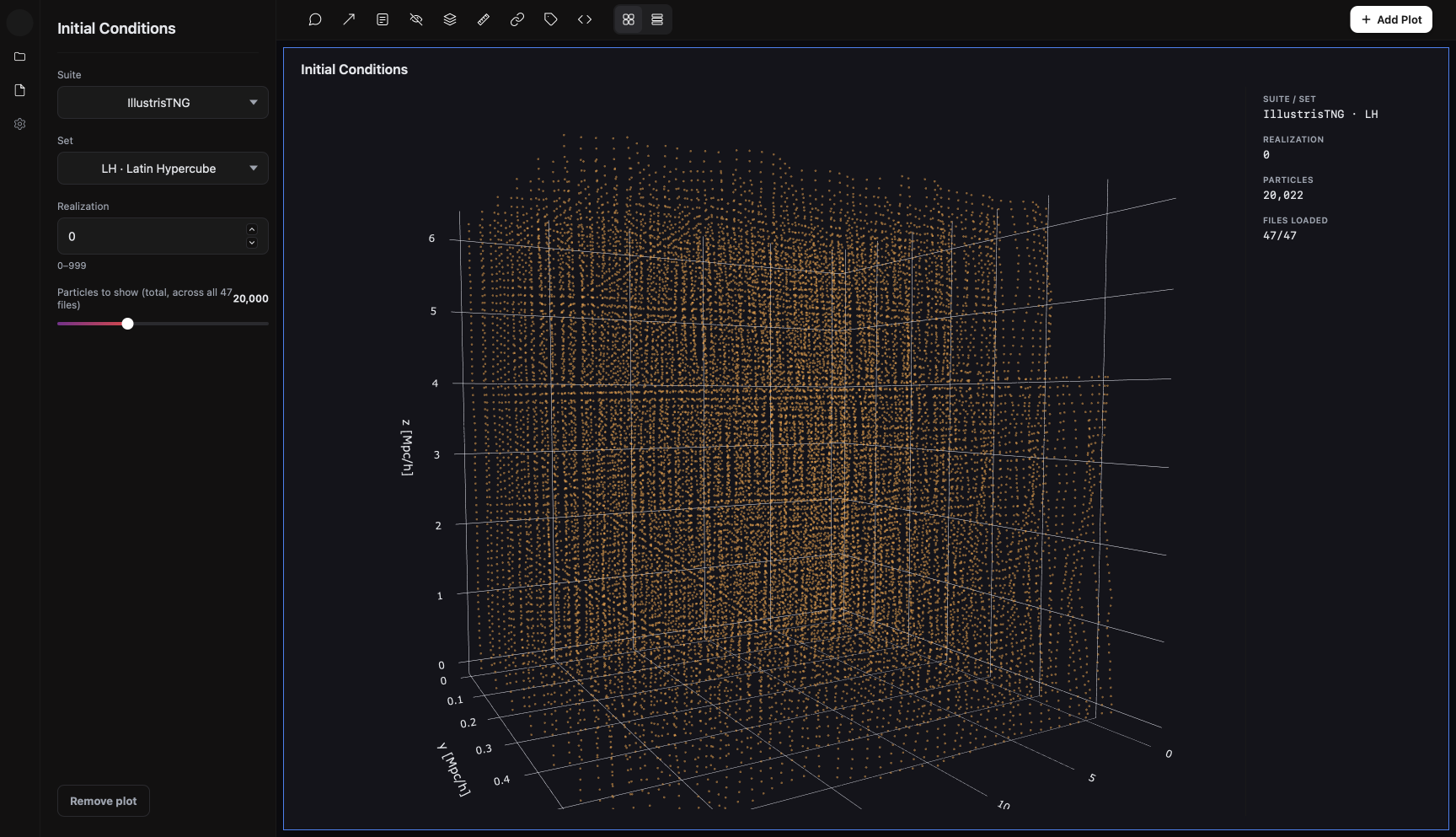
Initial Conditions shows the nearly uniform grid of particles from which a universe starts, before gravity pulls it into structure. Here 20,022 particles are loaded from 47 files.
Plate 6
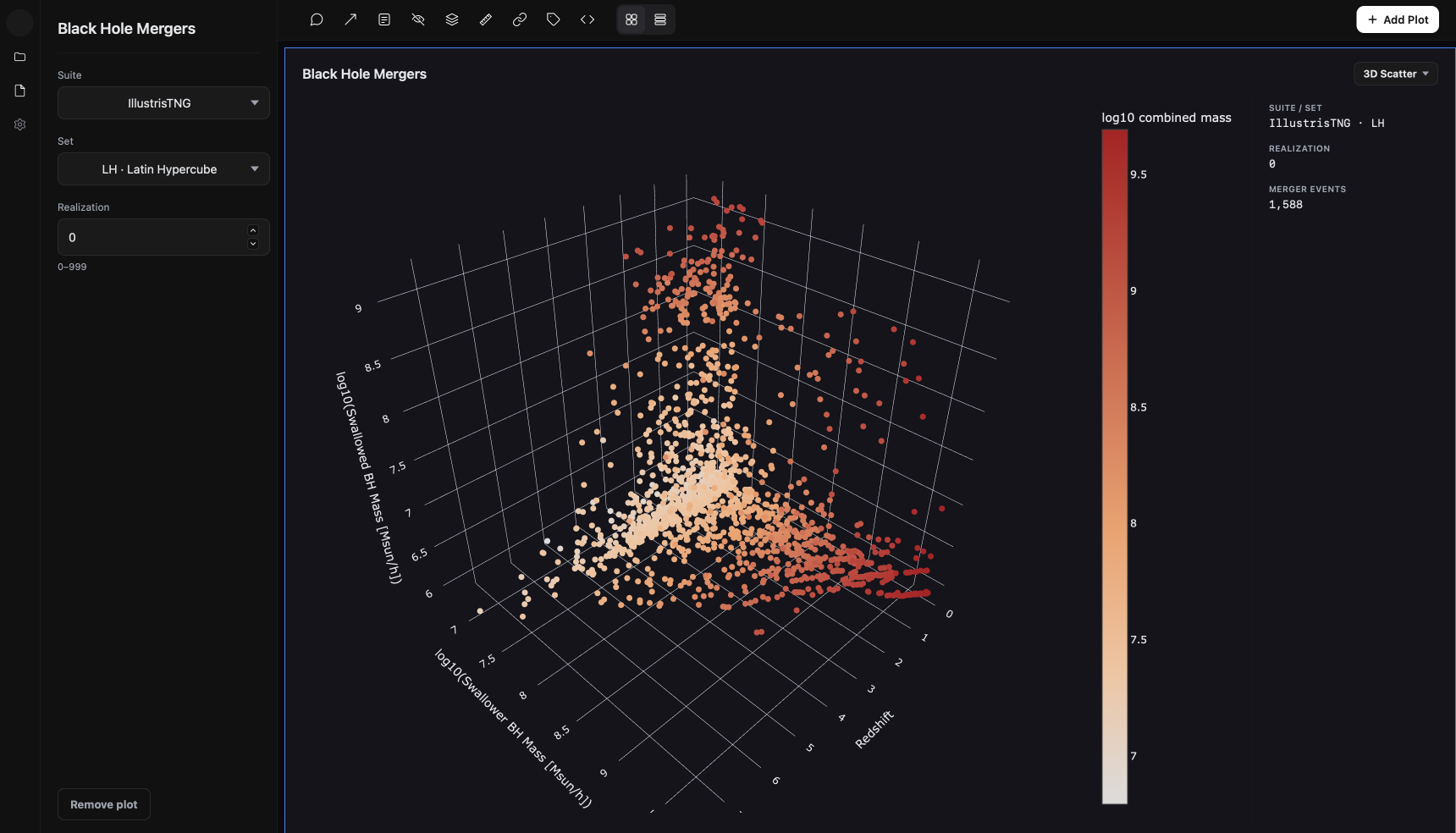
Black Hole Mergers presents a product that CAMELS does not document as a plot of 1,588 merger events across time.
Plate 7
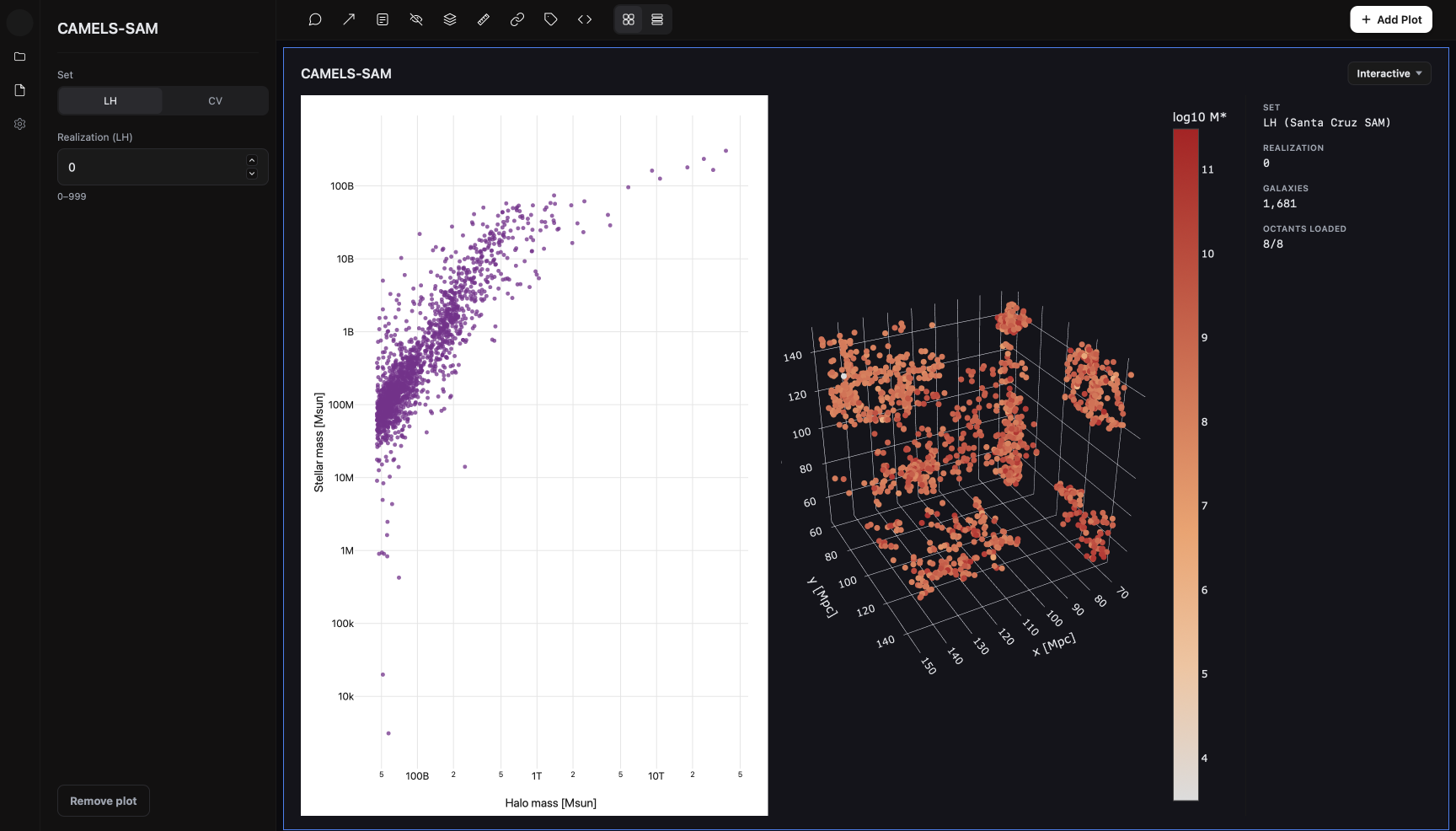
CAMELS-SAM has its own set and realization controls and no suite picker, and here shows 1,681 galaxies across eight spatial sections.
Plate 8
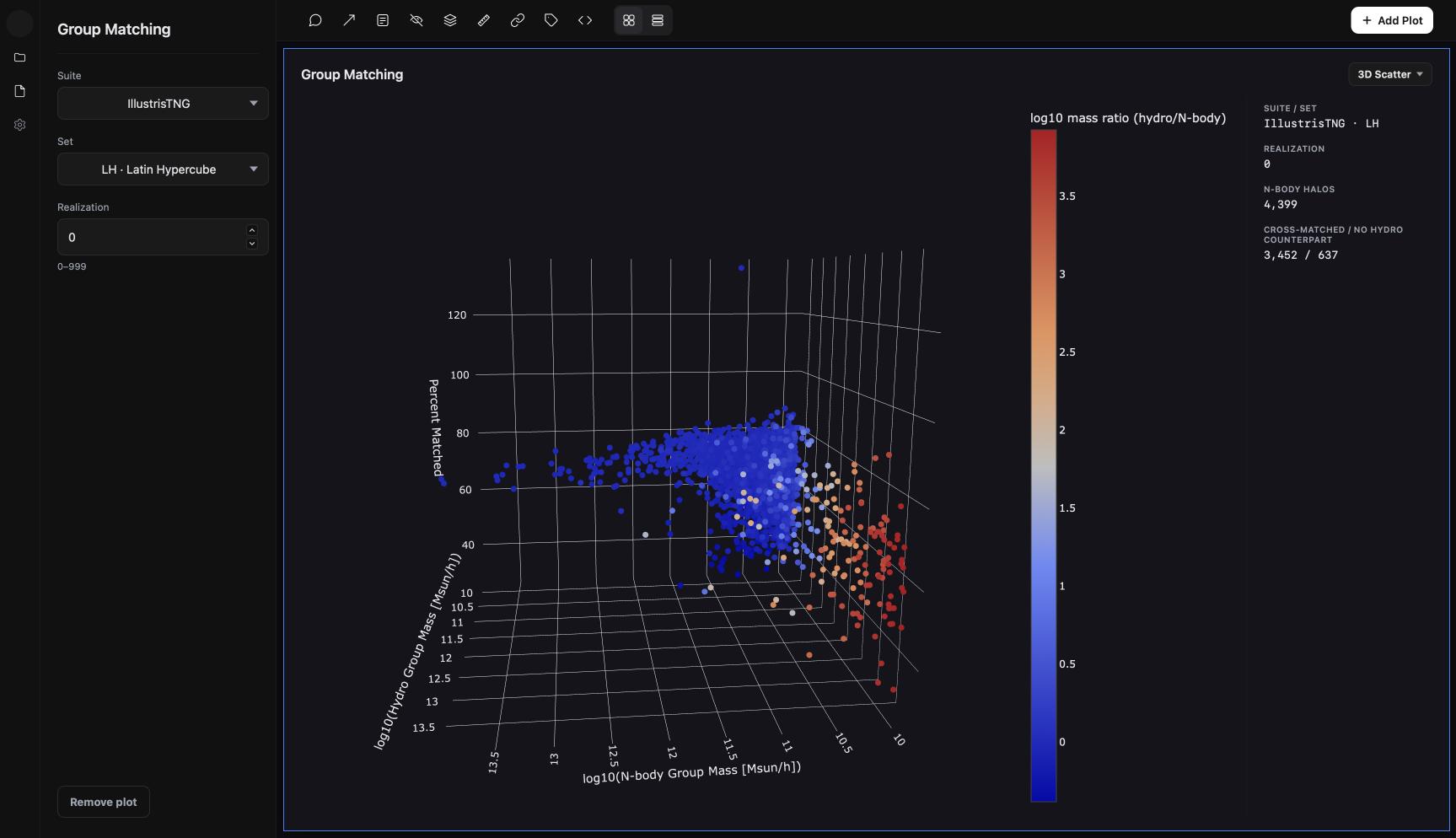
Group Matching pairs 4,399 dark matter only halos with their full physics counterparts and colours them by the difference in their masses.
A design system built from working code
The design system was developed in code first and recreated in Figma afterwards, which reverses the usual order.
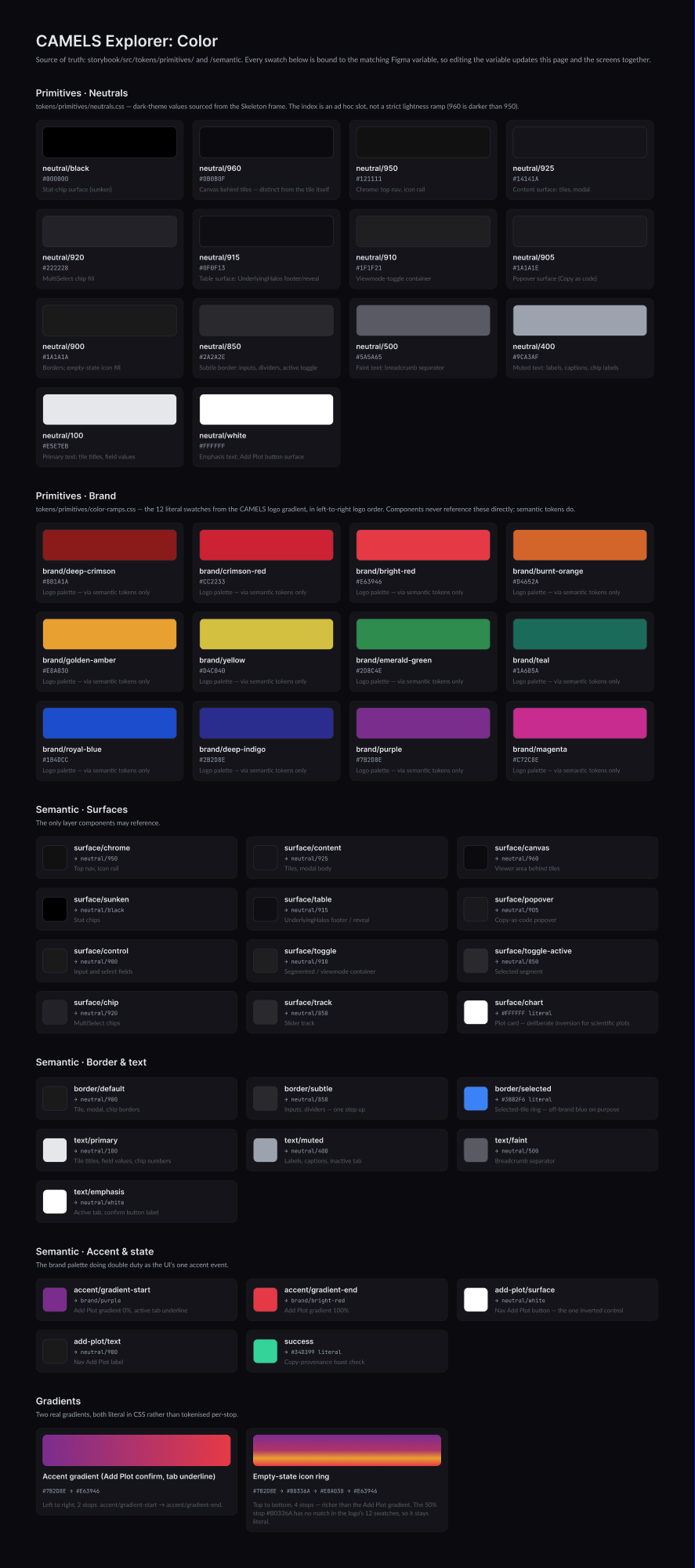
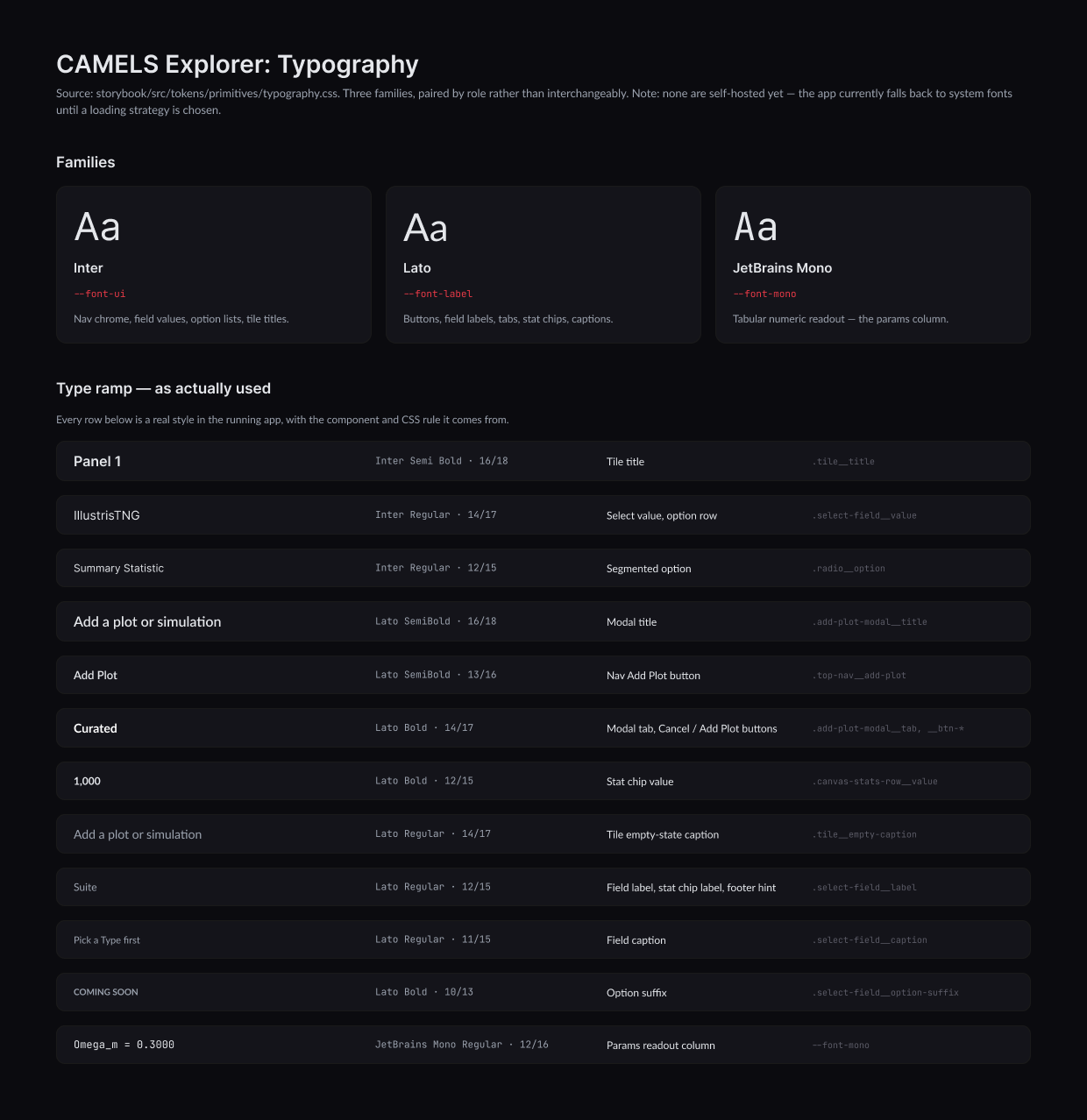
About 65 components were built and documented in code against real data, and the Figma library was then rebuilt from them, with every colour bound to the same named variables the code uses. Each component is documented in the same way, with its tokens, its specification, guidance on when to use it, and its code.
White backgrounds for plots
Plots are placed on white within the dark interface because researchers read them like figures in a paper and often reuse them in one.
Opaque note cards
Notes are flat, square, deep crimson cards with a contrast ratio of 9.3 to 1, so that annotations remain legible when a plot is copied into a presentation.
A separate colour for selection
The outline of a selected tile uses a blue that sits outside the palette taken from the logo.
Colour
Type
Components
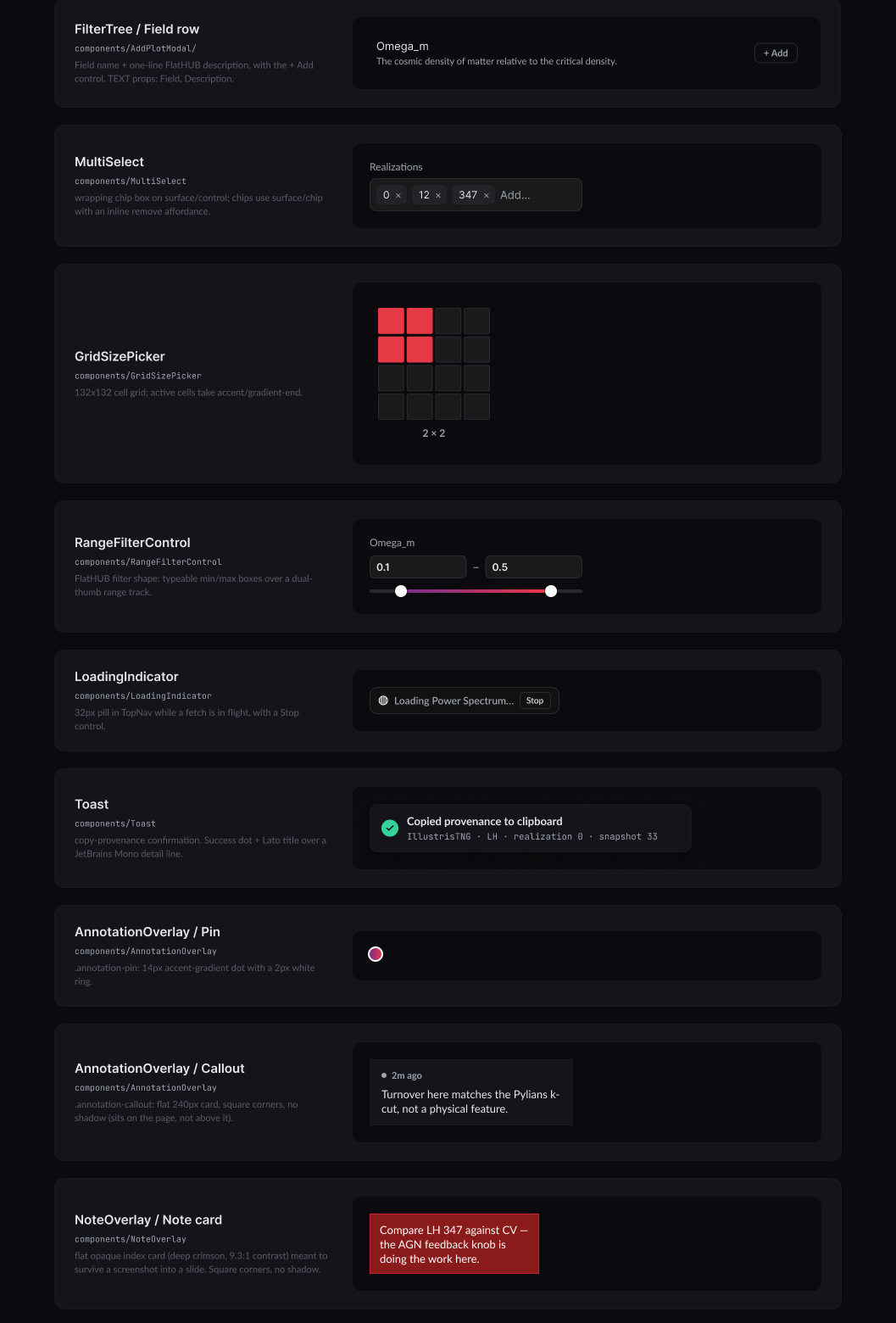
Figure 11
The colour guide begins from twelve colours taken from the logo, which components reach only through named roles. Each of the three typefaces has a single job, and the component crop includes the annotation tools and the crimson note card.
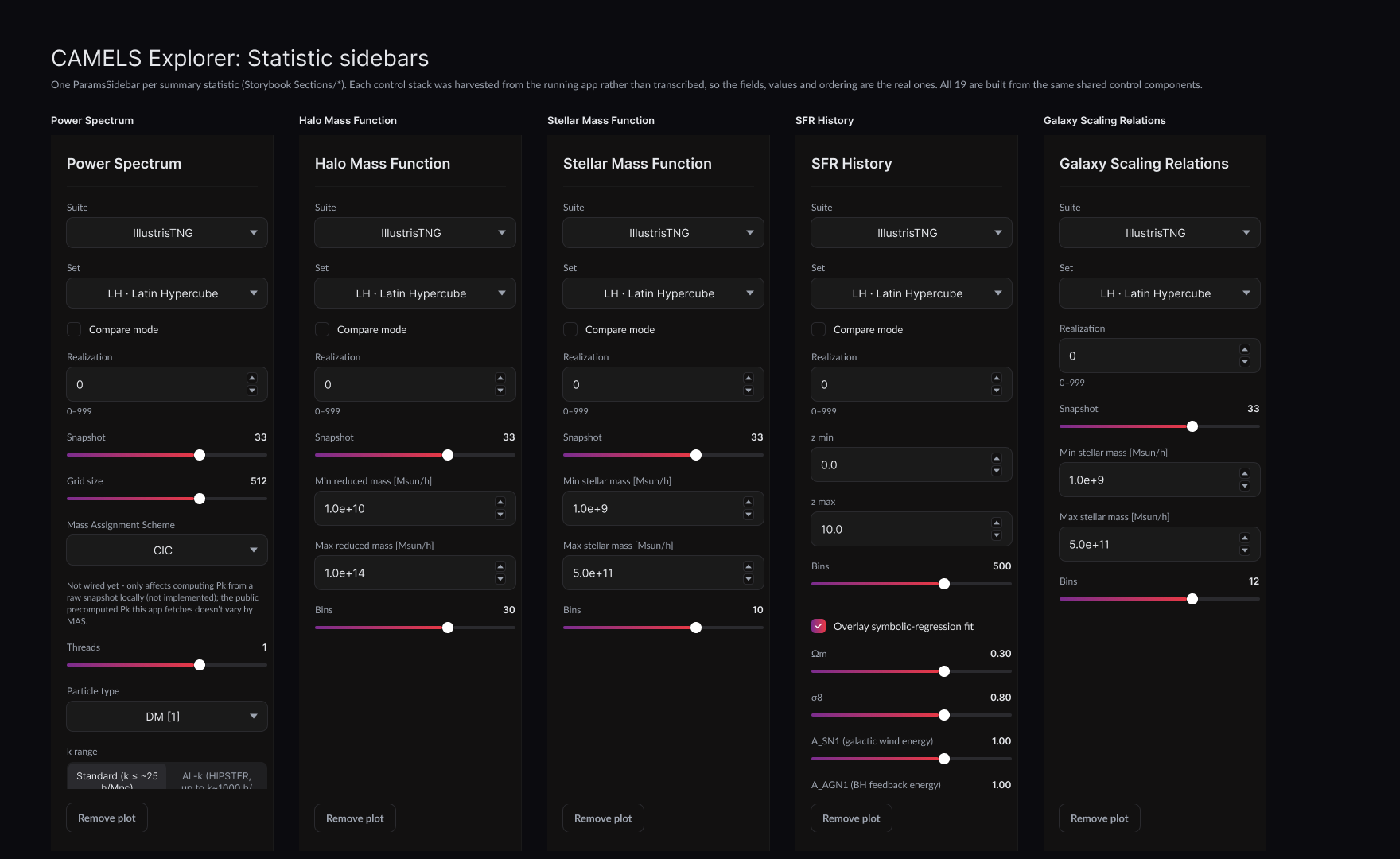
Figure 12
Five of the 19 statistic sidebars, captured from the running app and built from a shared set of controls. The Power Spectrum sidebar includes the note that its Mass Assignment Scheme control is not yet connected.
What we learned late in the project
The structure of a dataset is not the same as the structure of the questions people ask of it.
Distinguishing suites from statistics
The Add Plot dialog is built on two kinds of choice: a suite, which is one of the simulation programs, and a statistic, which is a measurement taken from it. CAMELS-SAM fits neither category.
CAMELS-SAM is a separate model of galaxy formation that has no suites at all. The prototype gave it a tab of its own, but the rebuilt dialog, which asks for a suite first and a statistic last, had no place for it, and it ended up in the statistic list. During a demo, a member of the CAMELS team pointed out that it is a sibling of the suites and should be presented that way.
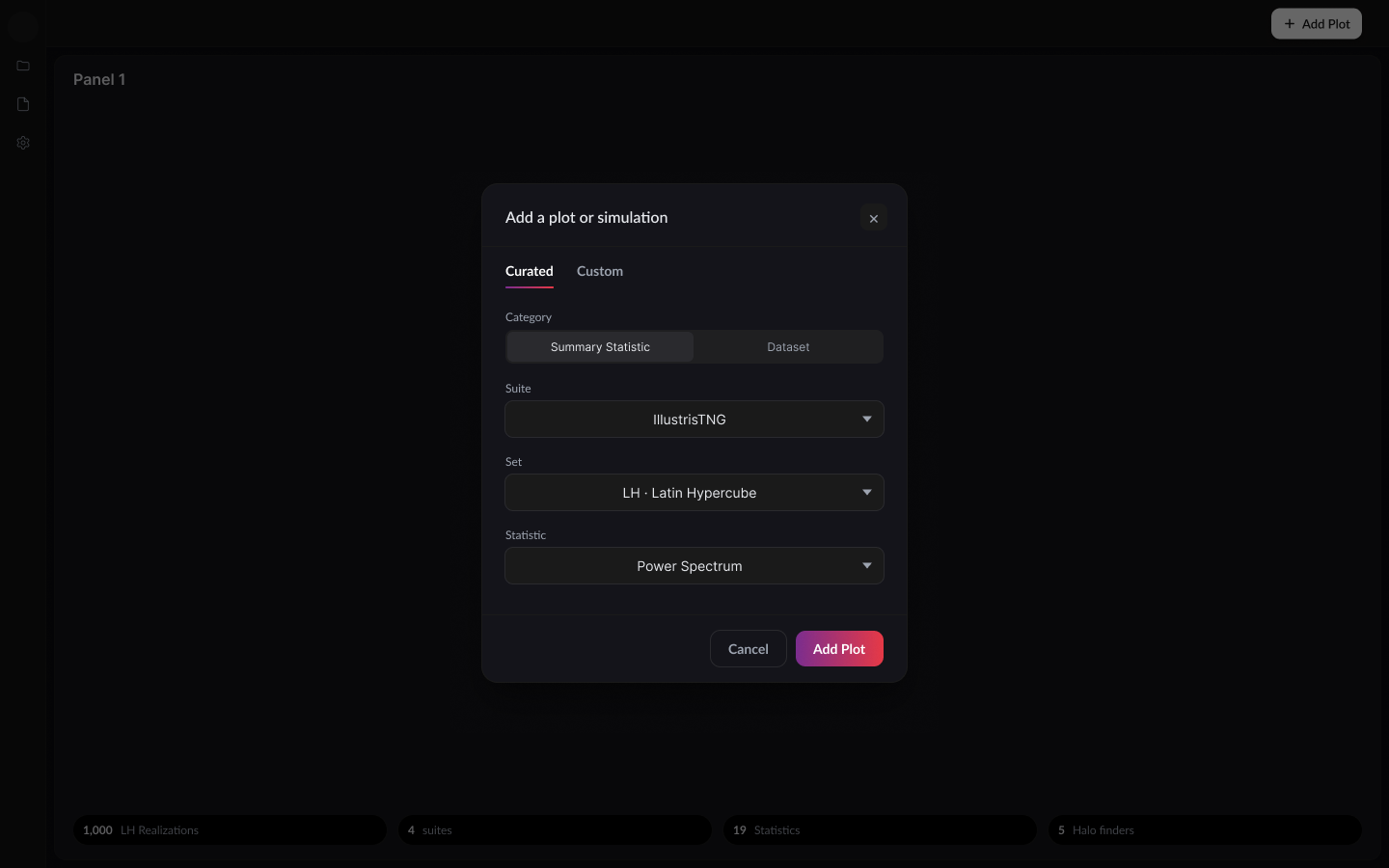
Figure 13
The Curated tab in the proposed design, with Category placed ahead of Suite. The change exists in the design but has not yet been implemented in code.
Comparison with the previous workflow
The table below compares how the same question was asked before the Explorer existed and how it is asked now.
Before
In the Explorer
FlatHUB
CAMELS Explorer
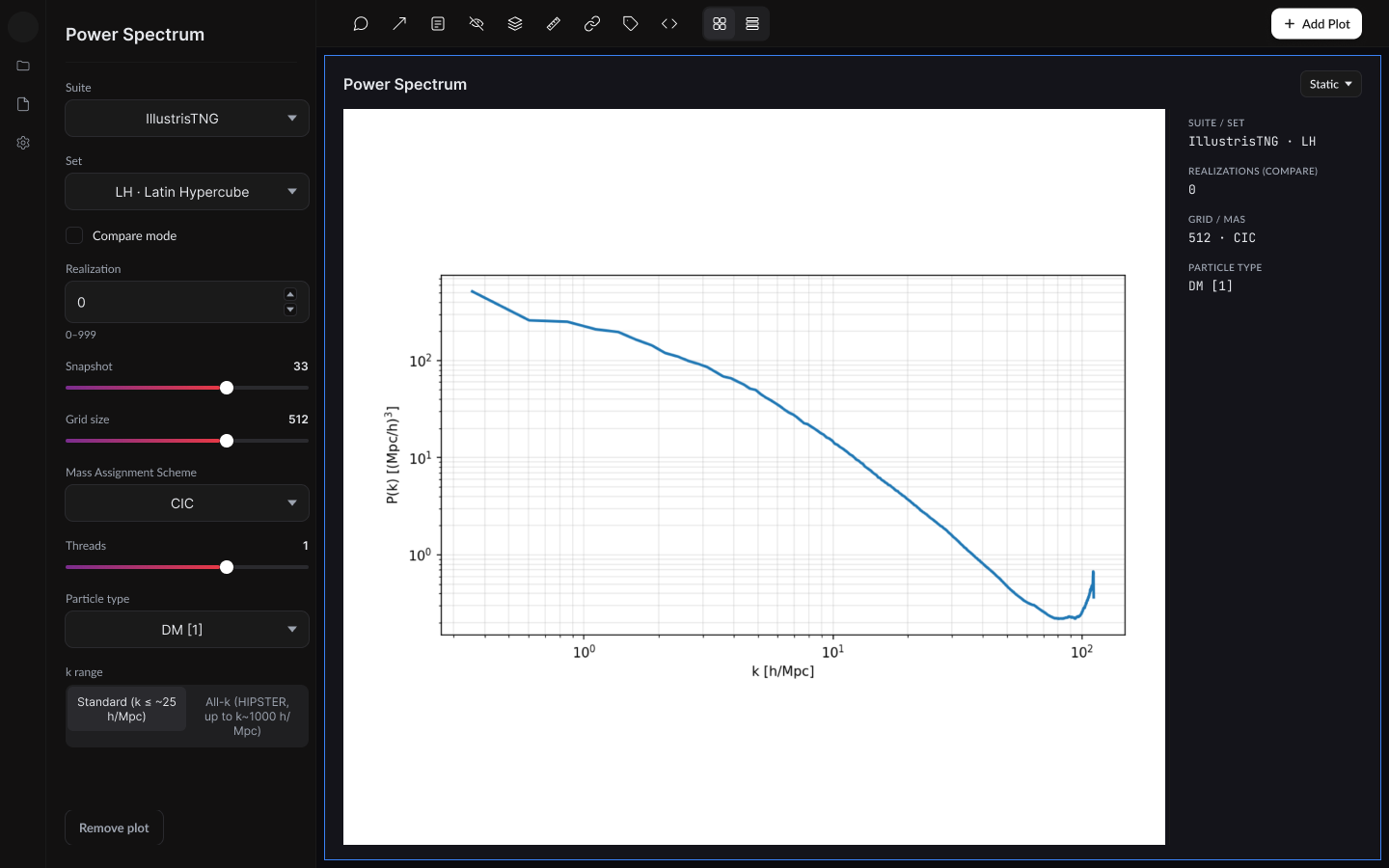
Figure 14
FlatHUB returns its answer as a table, while the Explorer returns a plot alongside the settings that produced it.
Limitations and future work
The practice we would most like to carry into another project is to build something rough against the real data first and let it reveal what the interface needs to be honest about.
Evaluation
Our evidence comes from demos with the CAMELS team and from people using working builds, and we have not yet run a structured study. A natural next step is a set of timed tasks with researchers outside the team, comparing the old workflow with the new one. Add any sessions you ran.
Coverage
The Explorer currently reads four of the nine simulation programs, at a single resolution.
Dependence on FlatHUB
The Custom tab still queries FlatHUB and will need a new source if the service is retired.
Design changes not yet implemented
The Category choice and several controls labelled as unconnected exist only in the design.
References
- 1Villaescusa-Navarro, F. et al. (2021). The CAMELS project: Cosmology and Astrophysics with MachinE Learning Simulations. The Astrophysical Journal, 915, 71. arXiv:2010.00619
- 2Villaescusa-Navarro, F. et al. (2023). The CAMELS project: public data release. The Astrophysical Journal Supplement Series, 265, 54. arXiv:2201.01300
- 3CAMELS documentation. camels.readthedocs.io
- 4FlatHUB, Flatiron Institute data portal. flathub.flatironinstitute.org/camels
Building tools for science? Let’s talk.
I partner with research teams, labs, and science publishers to design software and visualizations that make complex research easier to use and understand. Tell me a little about your project.