Case study
Tracing the roots of neuroscience by mapping mentor–mentee relationships across academia
Role
Human-Computer Interaction Designer
Team
To confirm
Timeline
July to October 2026
Tools
Figma
Abstract
A new front door for neuroscience’s family tree
Neurotree has mapped the mentor and trainee relationships of neuroscience since 2005, and it now records more than 12,400 researchers across more than 840 institutions. When The Transmitter took over the site, it needed a landing page that would welcome newcomers, invite them to find their own place in the tree and connect the archive to the publication’s journalism.
This case study describes how I designed that landing page with The Transmitter’s editorial team. The work began from a content strategy the editors had already written, moved through rounds of section-by-section variations, and was shaped by five rounds of written feedback in which several early requests were later reversed. It ends with the final landing page, its extension into the tree view, and a handoff file that documents every section, style and interaction for the developers.
5
Rounds of stakeholder feedback
34
Actionable items across those rounds
8
Sections in the final landing page
4
States documented for the Six Degrees widget
Introduction
Academic genealogy is easy to explain and hard to show: everyone has an advisor, and every advisor had one, but the resulting tree is far too large to take in at a glance.
Neurotree lets researchers search that tree, move up to their mentors and down to their trainees, measure the distance between any two people, and add their own history. Its tools were built for people who already knew what they were looking for. The landing page had a different job, which was to explain the archive to a visitor arriving from The Transmitter and give them a reason to search for a name they knew.
The project moved through four stages, and the client was an editorial team rather than a product team, which shaped how decisions were made at every one of them.
01
Content strategy
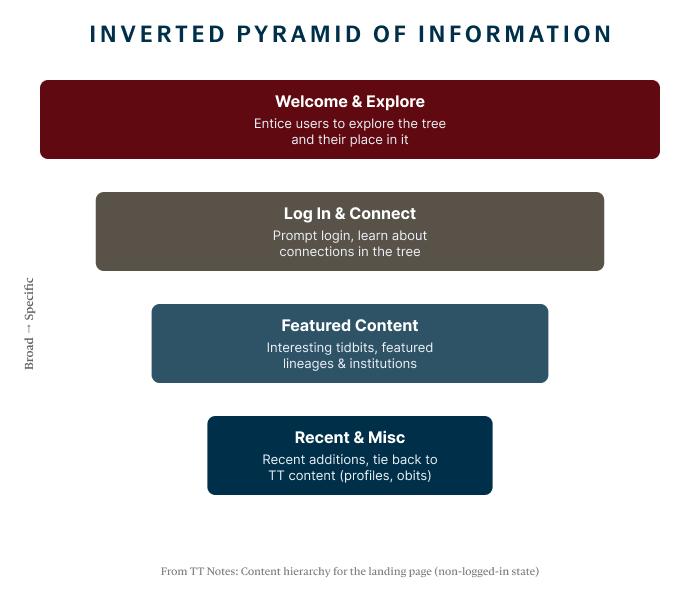
The editors described the page as an inverted pyramid, moving from a broad welcome to specific recent additions.
02
Section variations
I designed several variations of every section, so that the team could compare them side by side.
03
Feedback rounds
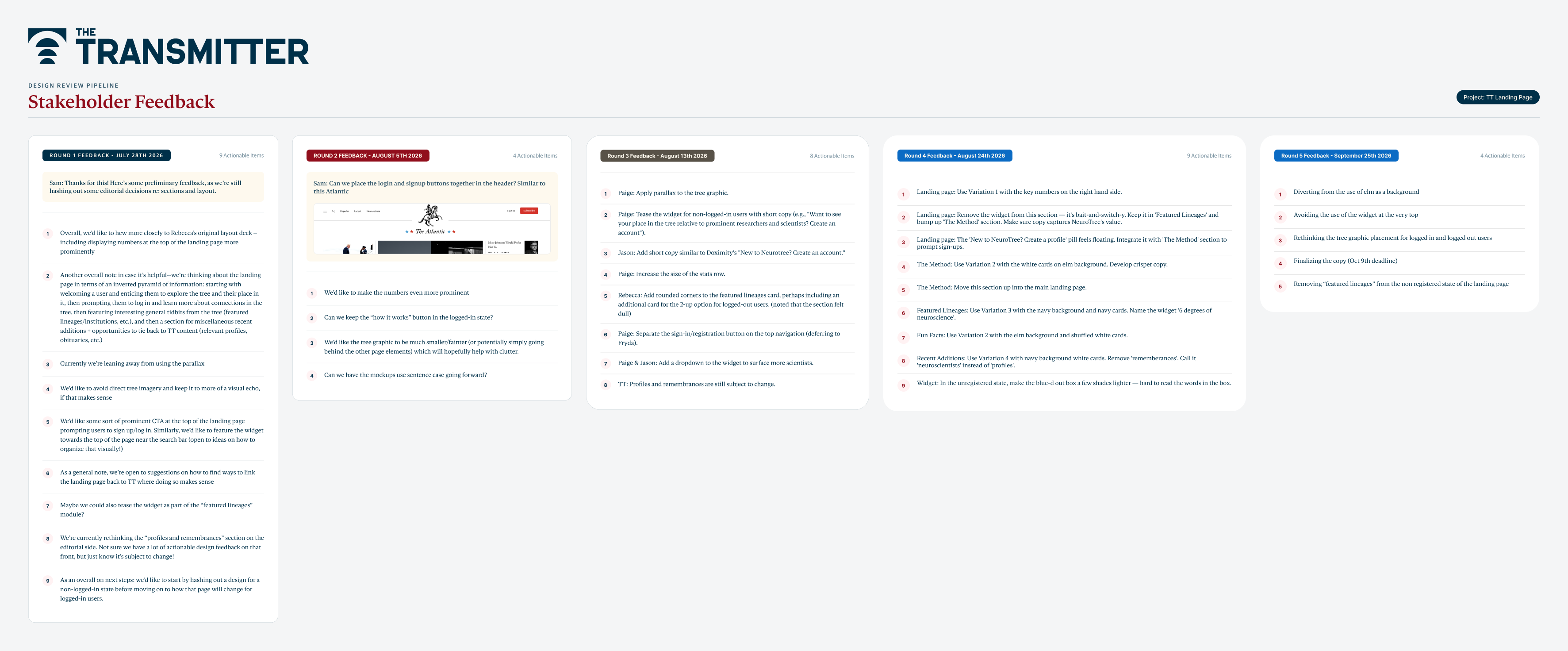
I collected each round of written feedback on one board and numbered every actionable item.
04
Developer handoff
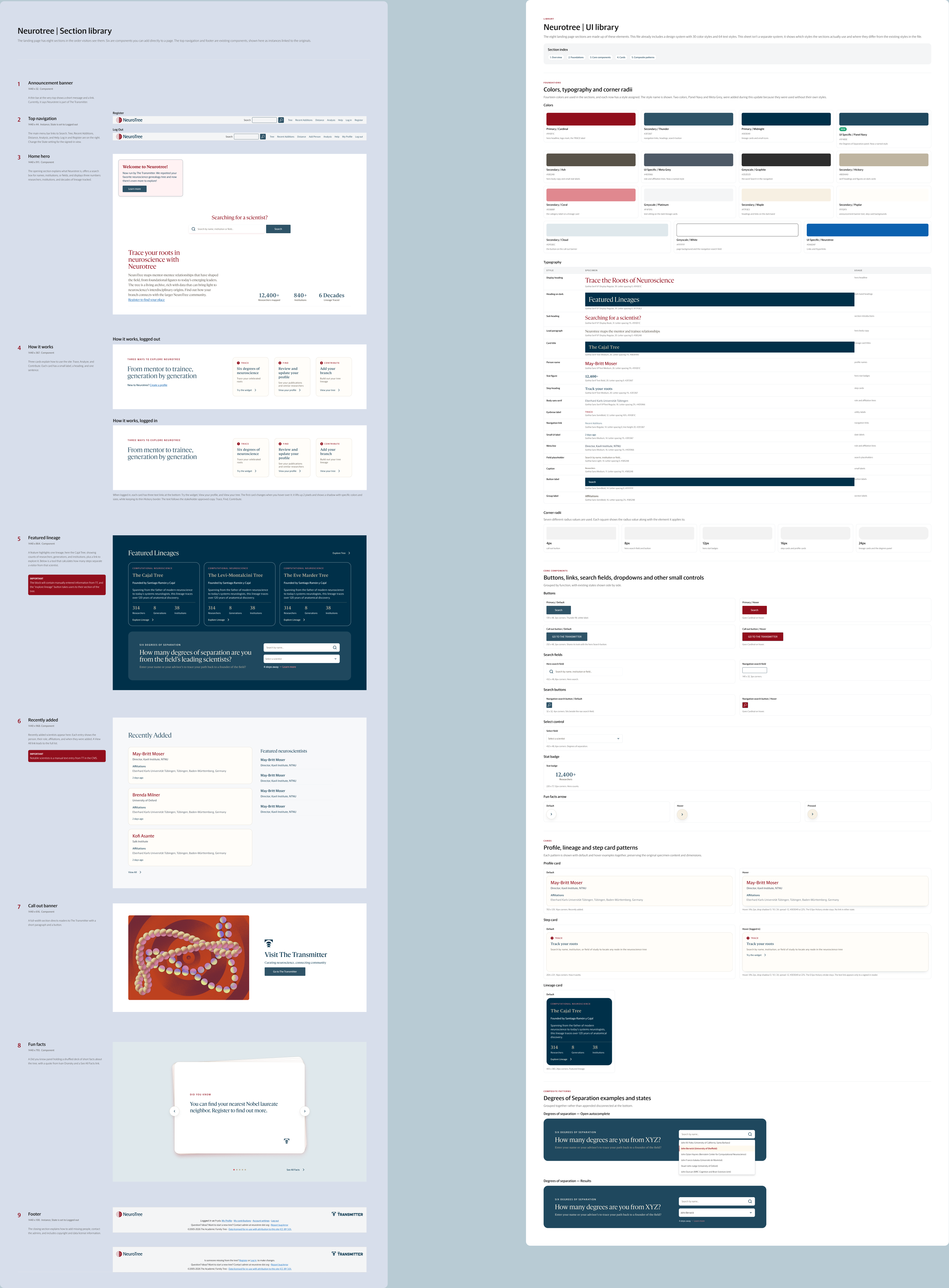
I documented the final sections, styles and interactions in a library the developers could build from.
Starting from the editors’ content strategy
The Transmitter arrived with a clear idea of what the page should say and in what order, which I treated as the brief rather than as a suggestion.
Their notes described the landing page as an inverted pyramid. A visitor should first be welcomed and tempted to explore the tree and their place in it, then prompted to log in and learn about connections, then shown interesting material such as featured lineages and institutions, and finally offered recent additions and links back to the publication’s profiles and obituaries.
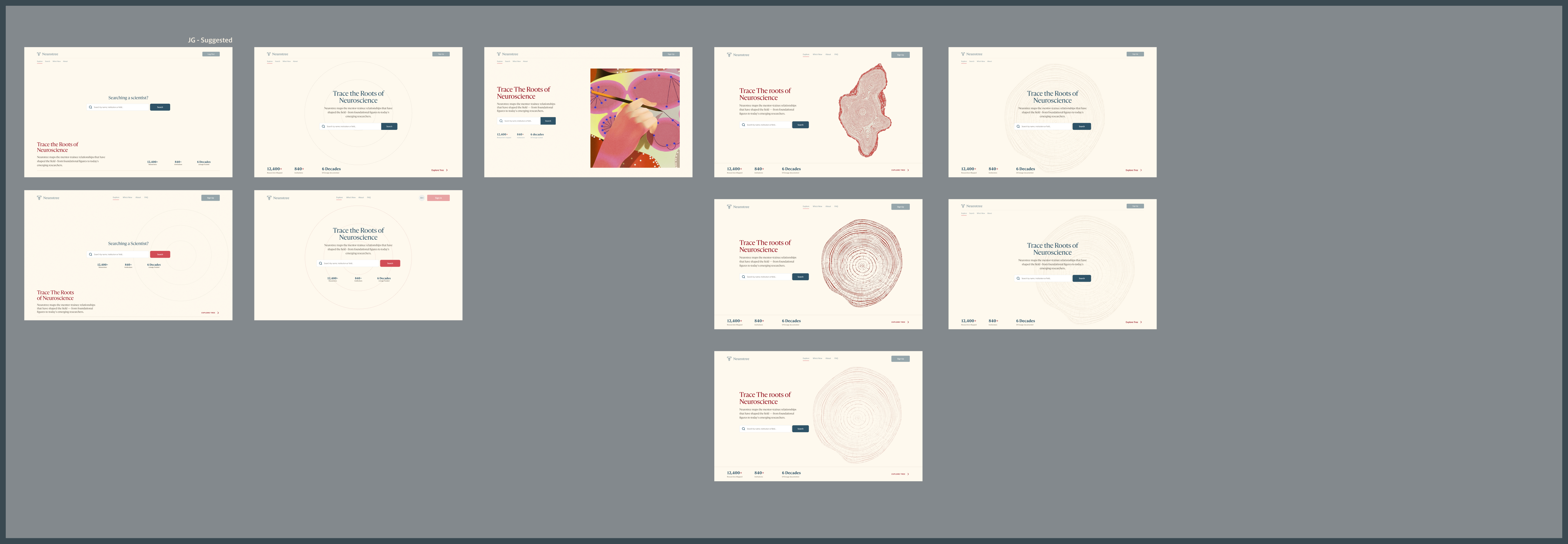
The stakeholders also provided a sketch, made with Claude, as a starting point for how they wanted the landing page to look, with a tree-ring illustration behind the hero, a method section, featured lineages and a column of profiles. In the first round of feedback the editors asked me to follow that sketch more closely, to show the key numbers prominently at the top, and to design the logged-out page before the logged-in one.
Figure 1
The content hierarchy from The Transmitter’s notes, read from broad at the top to specific at the bottom.
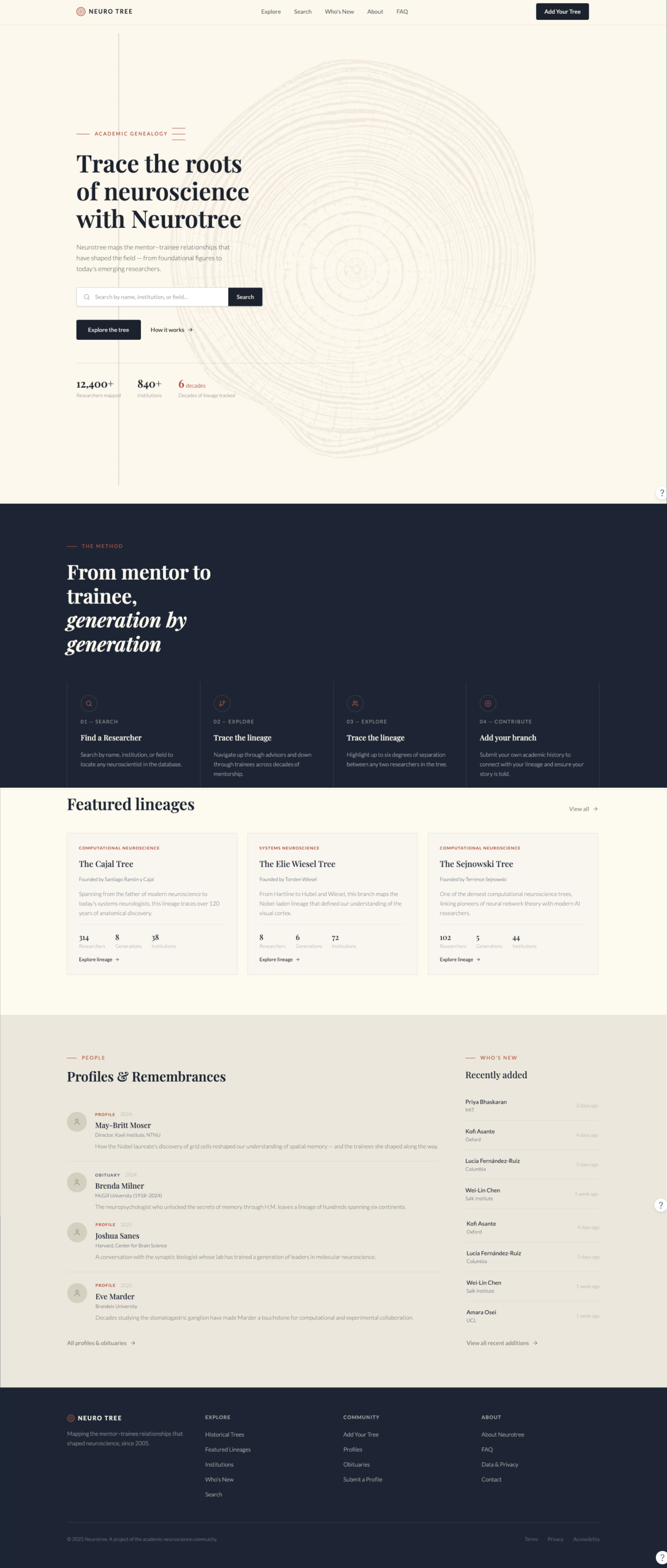
Figure 2
The sketch the stakeholders made with Claude as a starting point for how they wanted the landing page to look, which the first round of feedback asked the redesign to follow more closely.
Designing sections as variations
Instead of presenting one landing page, I designed each section as a set of variations, so that the editors could choose section by section and recombine them.
The hero alone went through about ten versions in the first round. Some led with a centred search field, others with the title, and they treated the tree differently, from a full illustration to faint concentric rings. In the version I suggested, the title, description and numbers sit apart from the search field, so that searching is the first thing a visitor sees and the explanation is the second.
The same approach applied to the navigation, the method steps, featured lineages, recent additions, fun facts, the announcement banner and the footer. The editors’ responses narrowed the field. They wanted to avoid direct tree imagery and keep it to a visual echo, they leaned away from parallax, and they asked for a prominent prompt to sign up near the top of the page.
Figure 3
Hero variations from the first round, arranged so the editors could compare search-led, title-led and illustrated versions side by side.
Early hero
Final hero
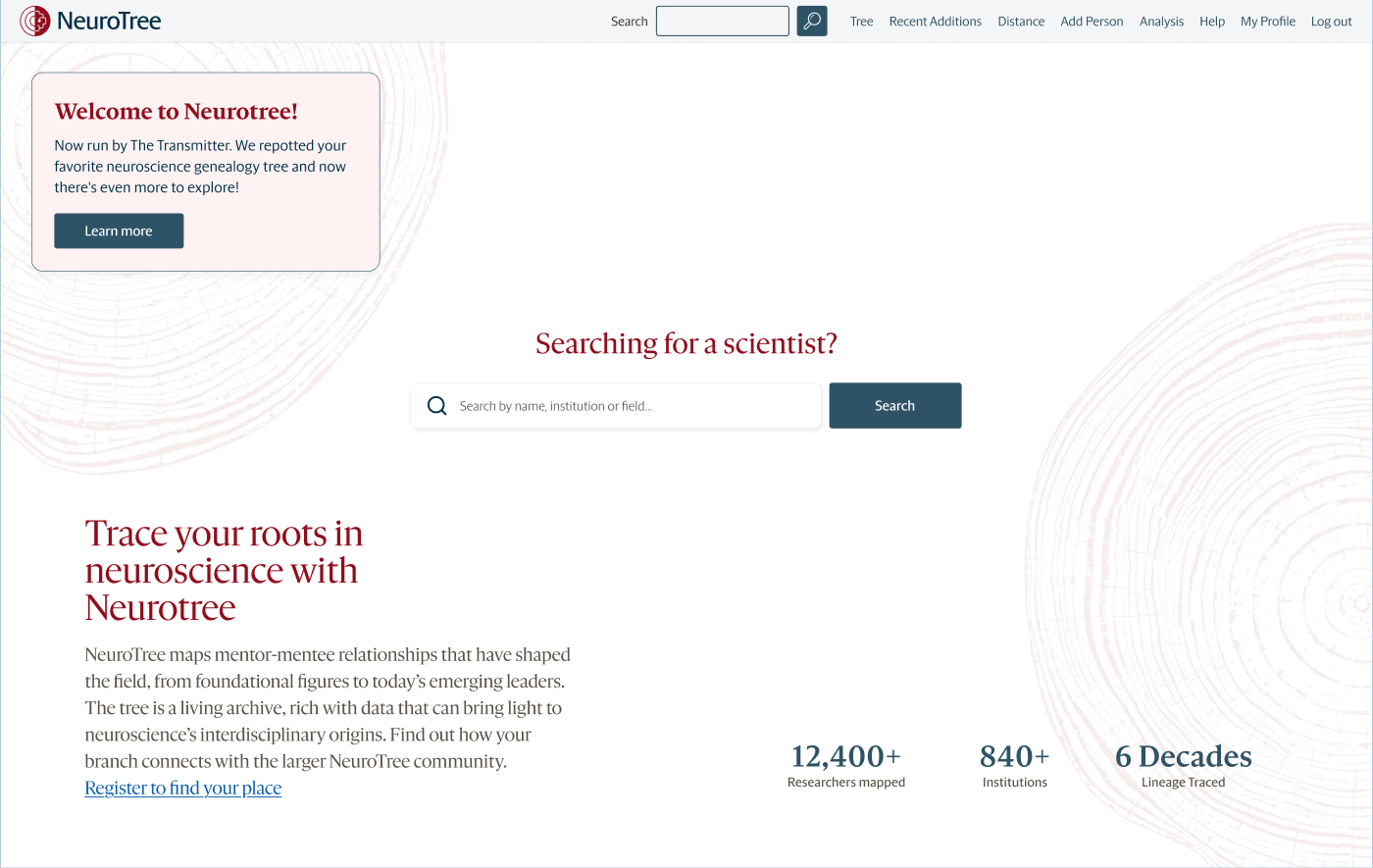
Figure 4
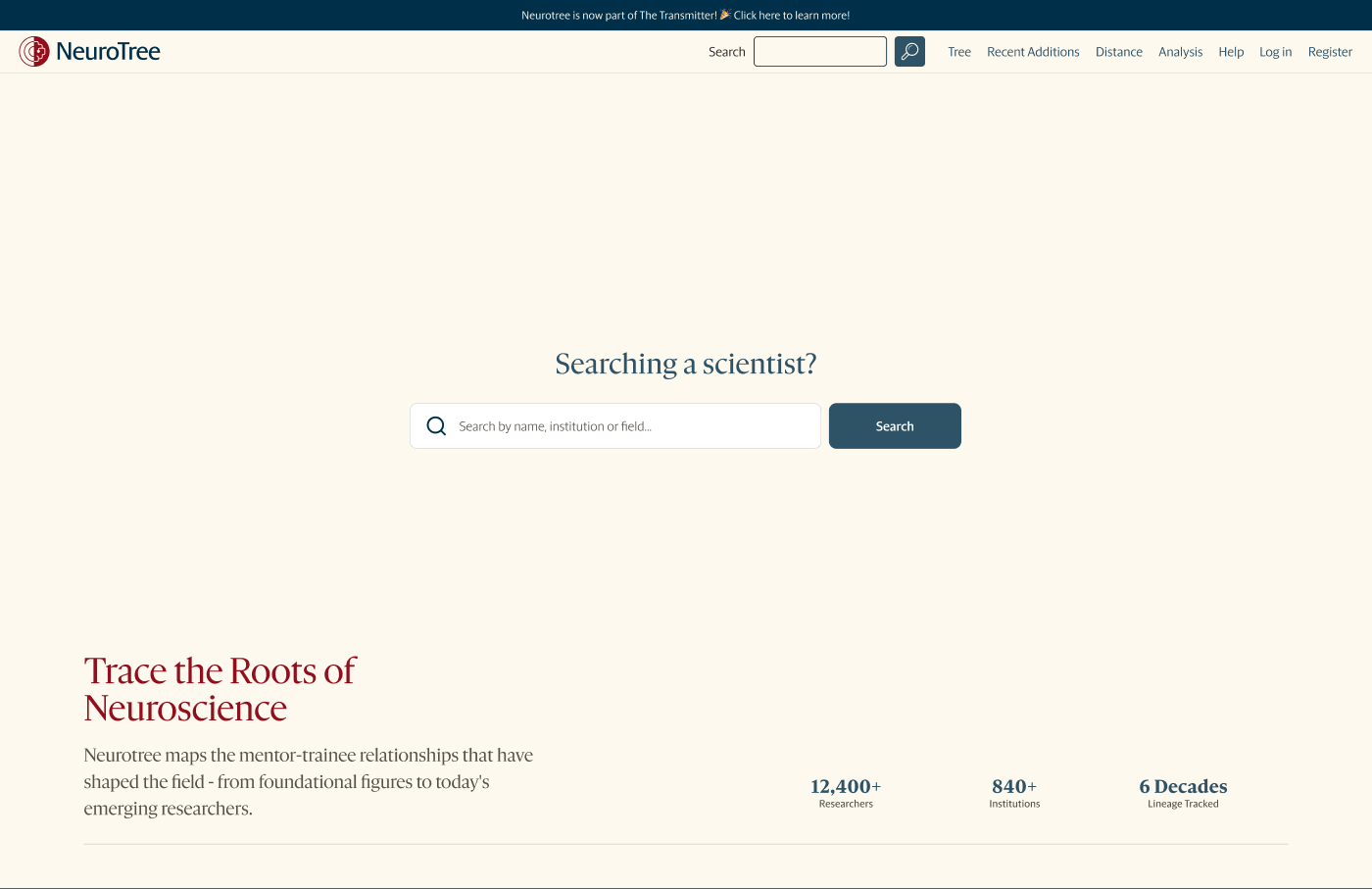
The hero early in the project and at handoff. The final version keeps the search-first structure, adds a welcome card announcing The Transmitter, and lets the tree rings recede into the background.
Five rounds of feedback
Between late July and late September the editors sent five rounds of written feedback, containing 34 actionable items in total.
I gathered every round on a single board, numbered each item and dated each round, so that anyone on the team could see what had been asked, when, and by whom. That record turned out to matter, because several requests were later reversed. The rows below follow five of those threads from the first request to the outcome.
Figure 5
The feedback board, with one column for each round from July 28 to September 25, 2026.
01
Where the widget lives
First asked
In the first round, the editors wanted the Six Degrees widget near the search bar at the top of the page.
Later
In the fourth round they asked for it to be removed from the hero because it felt like a bait and switch, and in the fifth they asked to avoid it at the very top altogether.
Outcome
The widget moved into the featured lineages section, where it sits below the lineage cards.
02
How much tree to show
First asked
The editors asked for a visual echo of the tree rather than direct imagery, and leaned away from parallax.
Later
The second round asked for the graphic to be smaller and fainter to reduce clutter, the third asked to apply parallax to it, and the fifth reopened its placement for both logged-in and logged-out visitors.
Outcome
The rings sit faintly behind the hero, where they suggest a tree without competing with the search.
03
Signing in
First asked
In the second round, the editors asked for the log in and sign up buttons to sit together in the header, following The Atlantic.
Later
In the third round they asked for them to be separated, deferring the final call to a colleague.
Outcome
Log in and register appear as separate links, and a sentence in the method section invites new visitors to create a profile.
04
Naming things
Problem
Section names came from the old site and did not always describe their contents to a newcomer.
Changed
The widget became Six Degrees of Neuroscience, recent additions referred to neuroscientists instead of profiles, and remembrances were removed from that section.
05
Colour and backgrounds
First asked
The fourth round chose specific background treatments for each section, including elm backgrounds for the method and fun facts.
Later
The fifth round moved away from the elm background.
Outcome
The final sections use cream, white and navy backgrounds, which keeps a rhythm down the page without the extra colour.
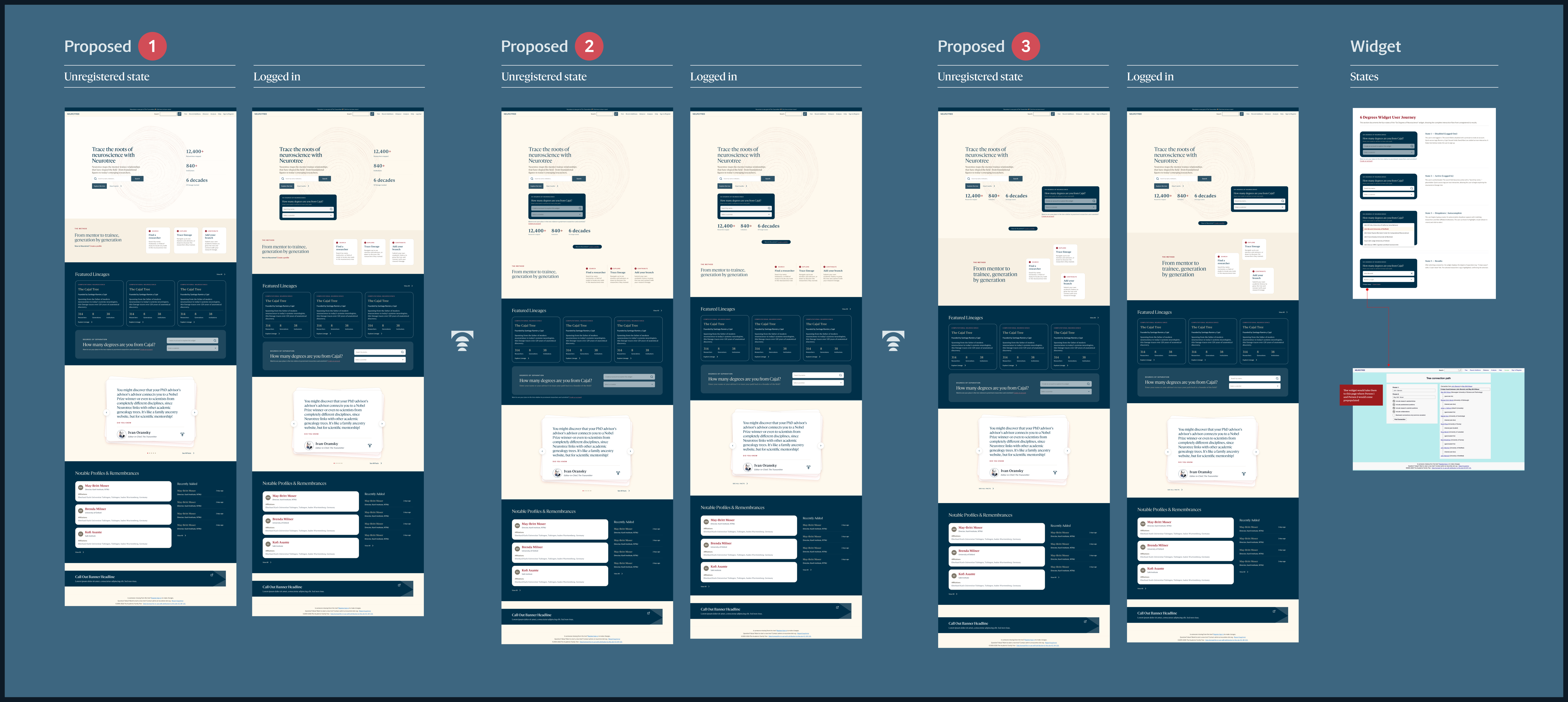
Figure 6
Three proposed landing pages from the third round, each shown logged out and logged in, with the widget states at the end of the row.
Approved in round three
Final
Figure 7
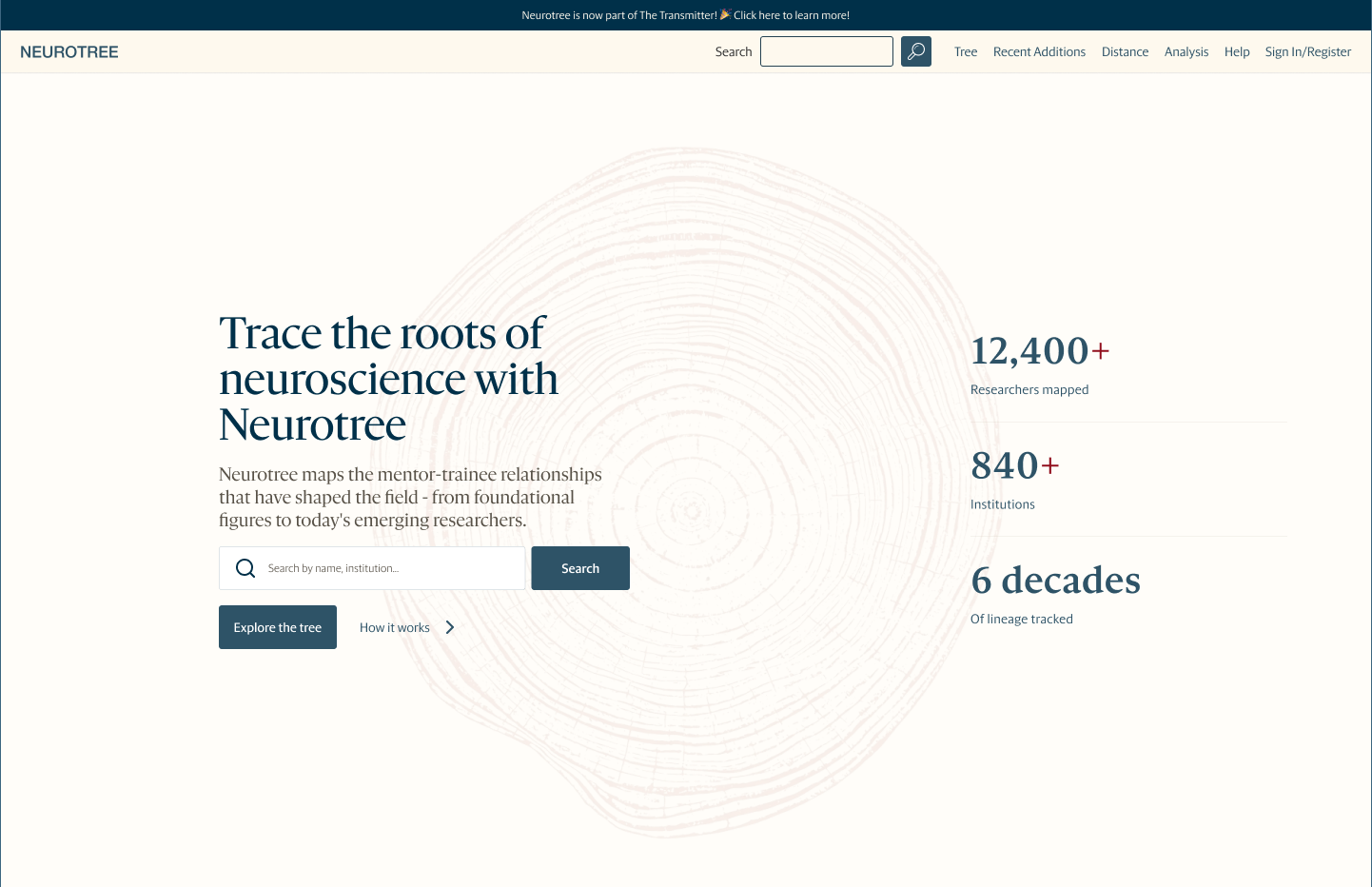
The hero approved in the third round beside the final version. The same title, search and key numbers carried through. The final hero lifts the search to the centre of the page under the question “Searching for a scientist?”, sets the title and numbers in a row beneath it, and adds a welcome card for visitors arriving from The Transmitter.
On working with a newsroom
When the client is an editorial team, a landing page is edited as much as it is designed.
Six degrees of neuroscience
The most distinctive part of the page is a small tool that tells a visitor how many steps separate them, or anyone they choose, from a founding figure such as Santiago Ramón y Cajal.
The widget had to work for two audiences. For a visitor who is not logged in, its search field is disabled, the quick-access names are visible but inactive, and a short line underneath invites them to create an account. Once logged in, the field becomes active, typing opens an autocomplete list of researchers with their institutions, and choosing one shows the number of steps with a link to the full path.
I documented the widget as four states so that the developers and editors would agree on what each one shows. The fourth round asked for the disabled field to be lighter because its text was hard to read.
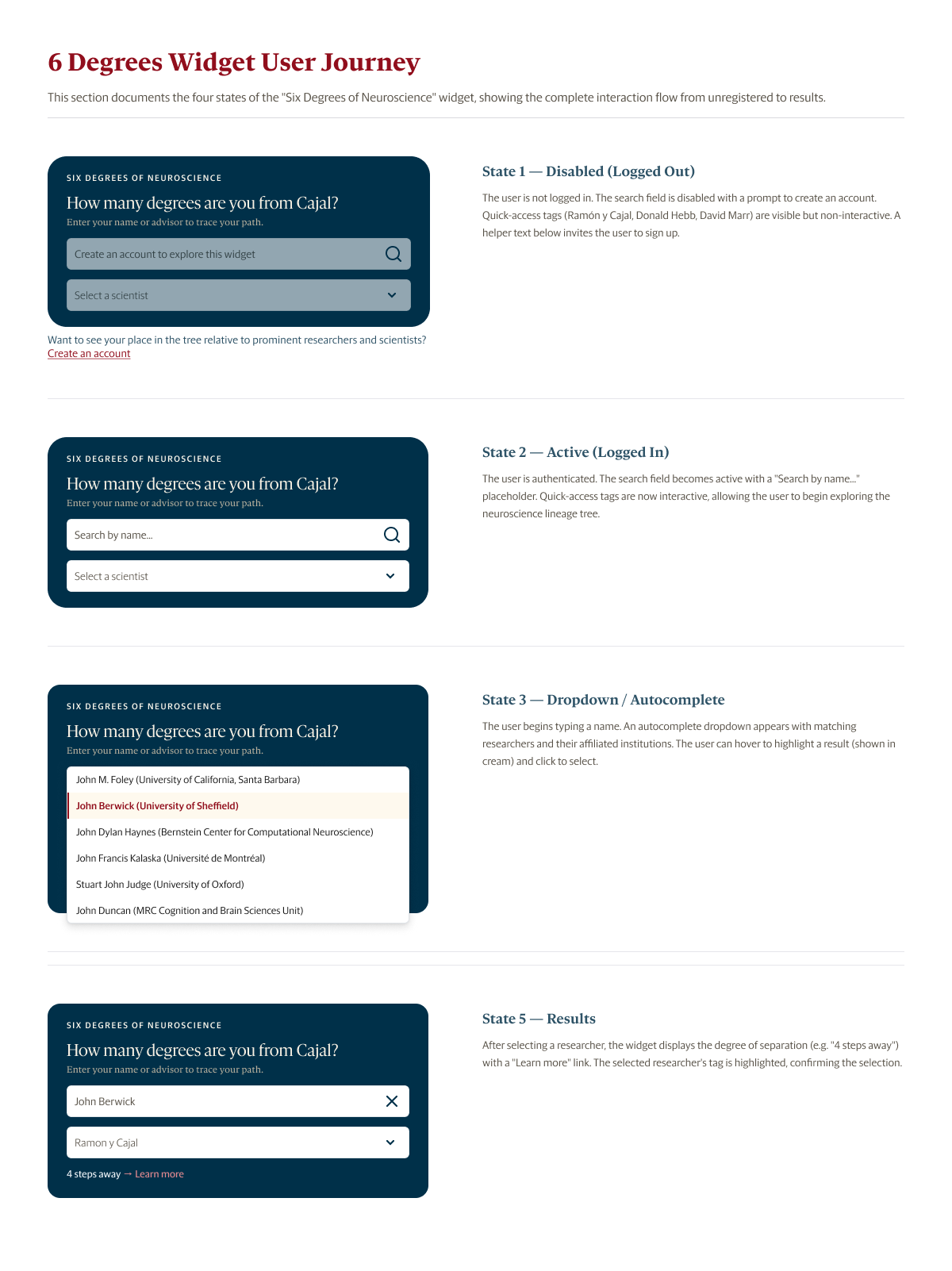
Figure 8
The four states of the Six Degrees of Neuroscience widget, from the disabled teaser shown to logged-out visitors to the result.
The final landing page
By the last round, the page had settled into the order the editors described at the start, moving from a welcome and a search to featured content and finally back to The Transmitter.
Compared with the third-round proposals, the final sections are quieter. The widget no longer competes with the hero, backgrounds alternate between light sections and a single navy band, and every section ends in one clear action. The plates below follow the hero shown in Figure 4, in page order.
Plate 1
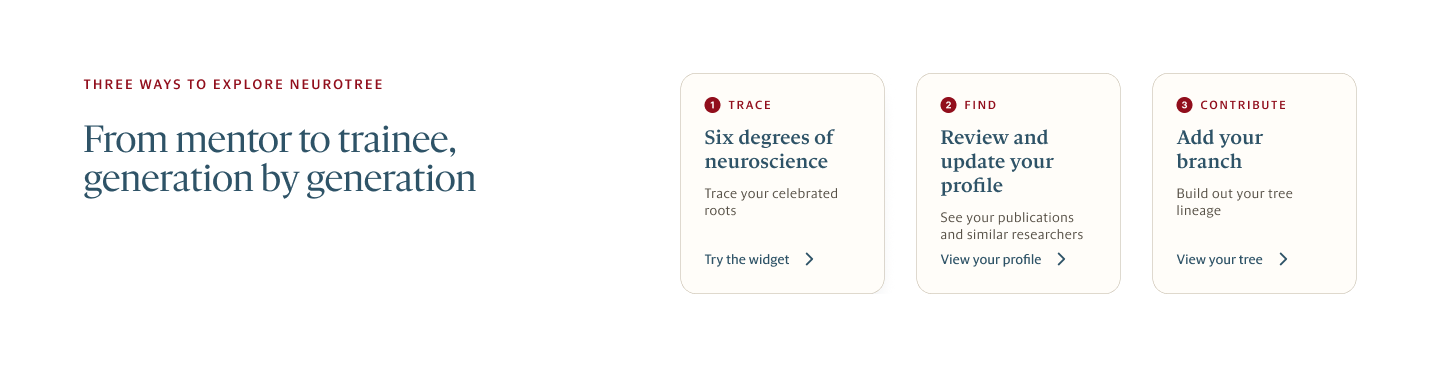
The method section, now called three ways to explore Neurotree. Each card names an action, explains it in one sentence and links straight to it.
Plate 2
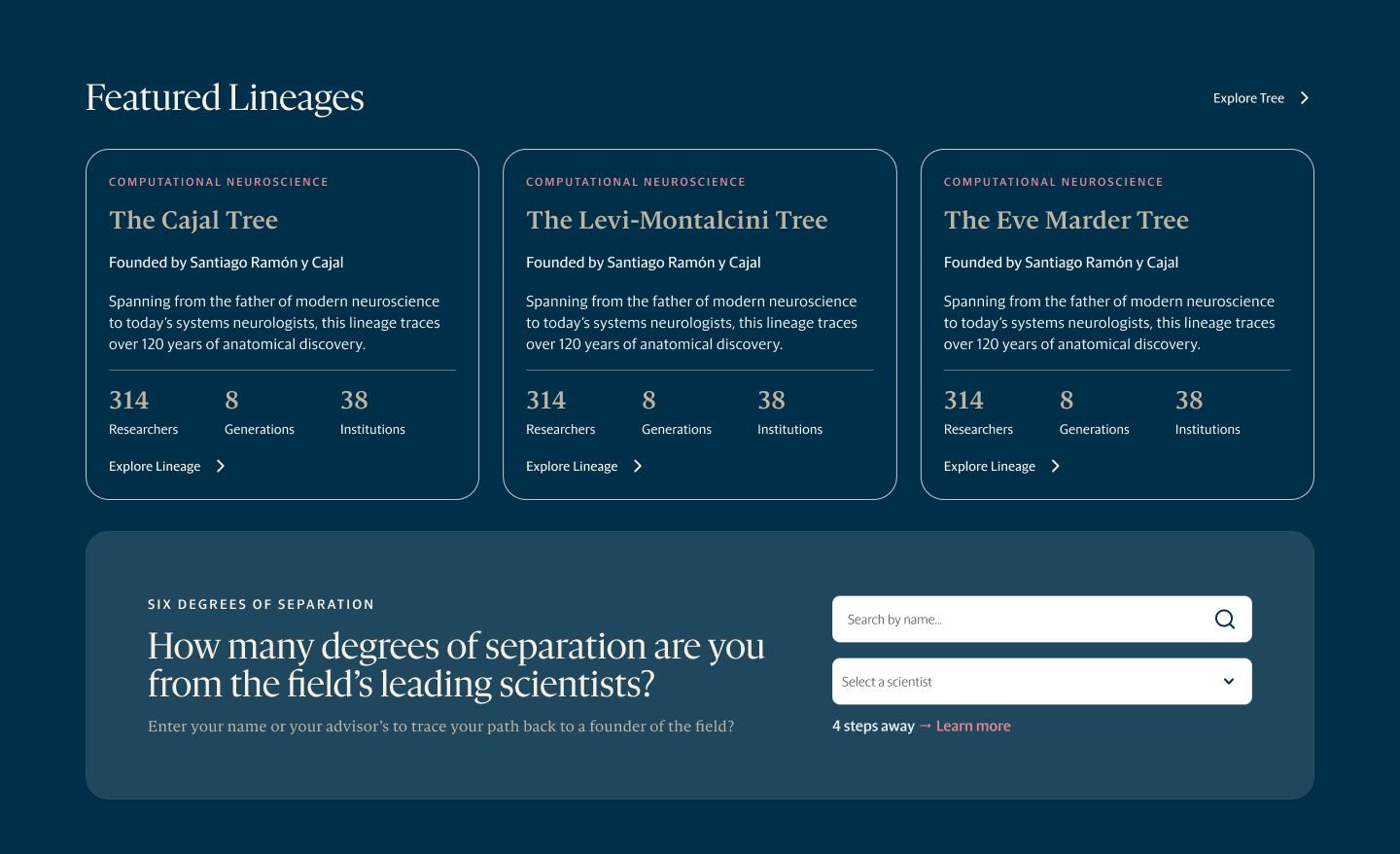
Featured lineages on navy, with counts of researchers, generations and institutions for each tree, and the Six Degrees of Separation panel directly beneath.
Plate 3
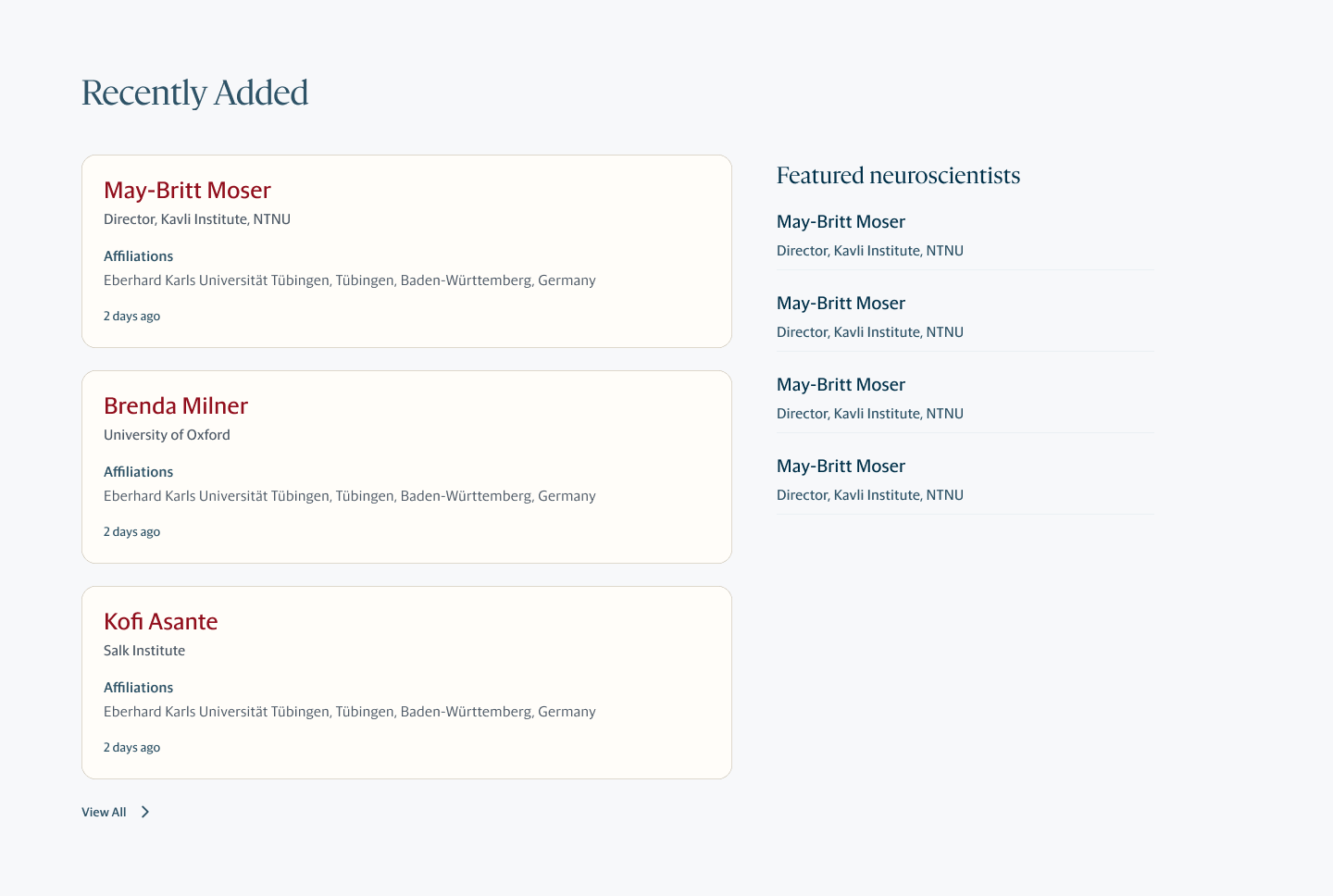
Recently added researchers, each with their role, affiliations and the date they joined, beside a list of featured neuroscientists that the editors choose.
Plate 4
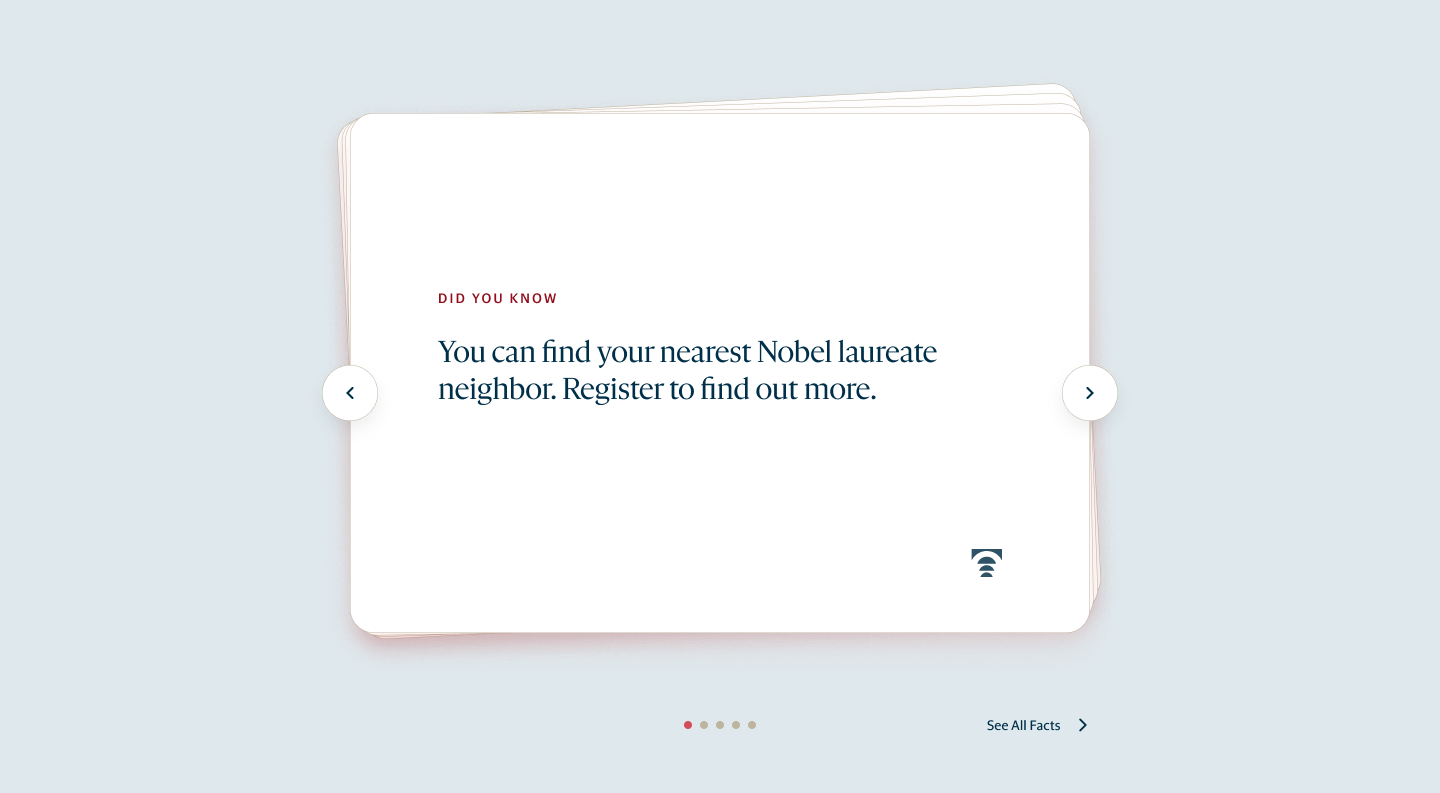
Fun facts as a shuffled deck of cards, one fact at a time, with arrows, a position indicator and a link to every fact.
Plate 5
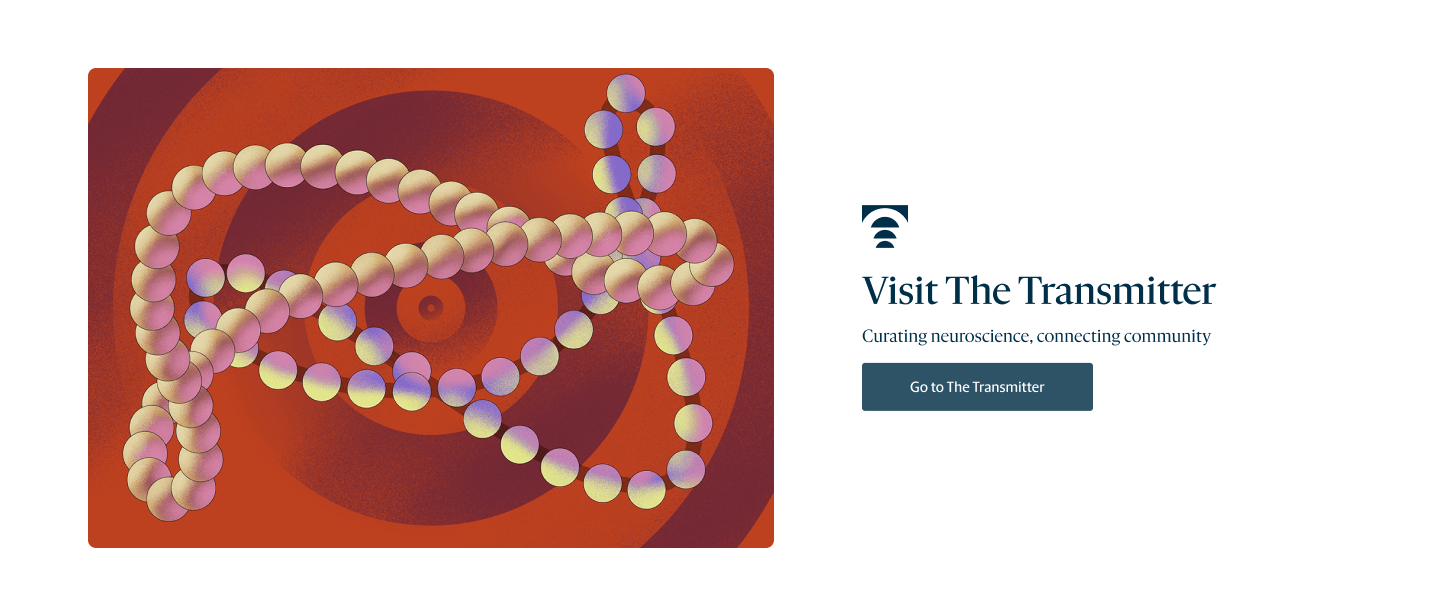
A call-out that sends readers back to The Transmitter, the clearest link between the archive and the publication.
Plate 6

A footer that pairs the two logos above account, contact and licence information.
Figure 9
The final landing page below the hero, section by section.
Carrying the design into the tree
The landing page exists to send people into the tree, so the handoff also carried its type, colour and components into the tree view itself.
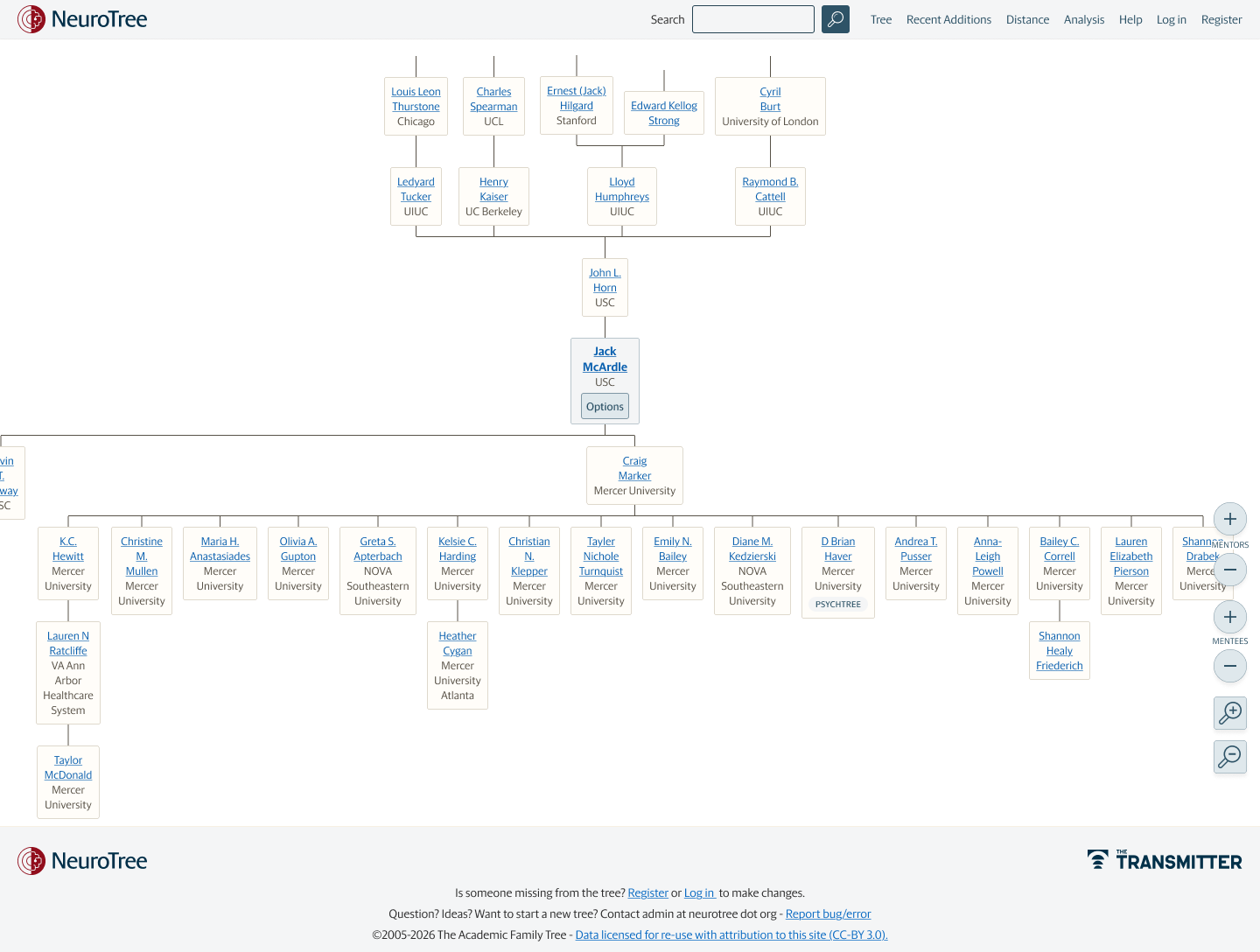
In the tree view, each researcher appears as a small card with their name and institution, mentors above and trainees below. Controls at the edge of the canvas show more or fewer mentors and trainees and zoom the view. An options button on the selected researcher opens a side panel with their profile, the tree settings, the distance tool, a way to report an error and a link to the page.
Tree view
Options panel open
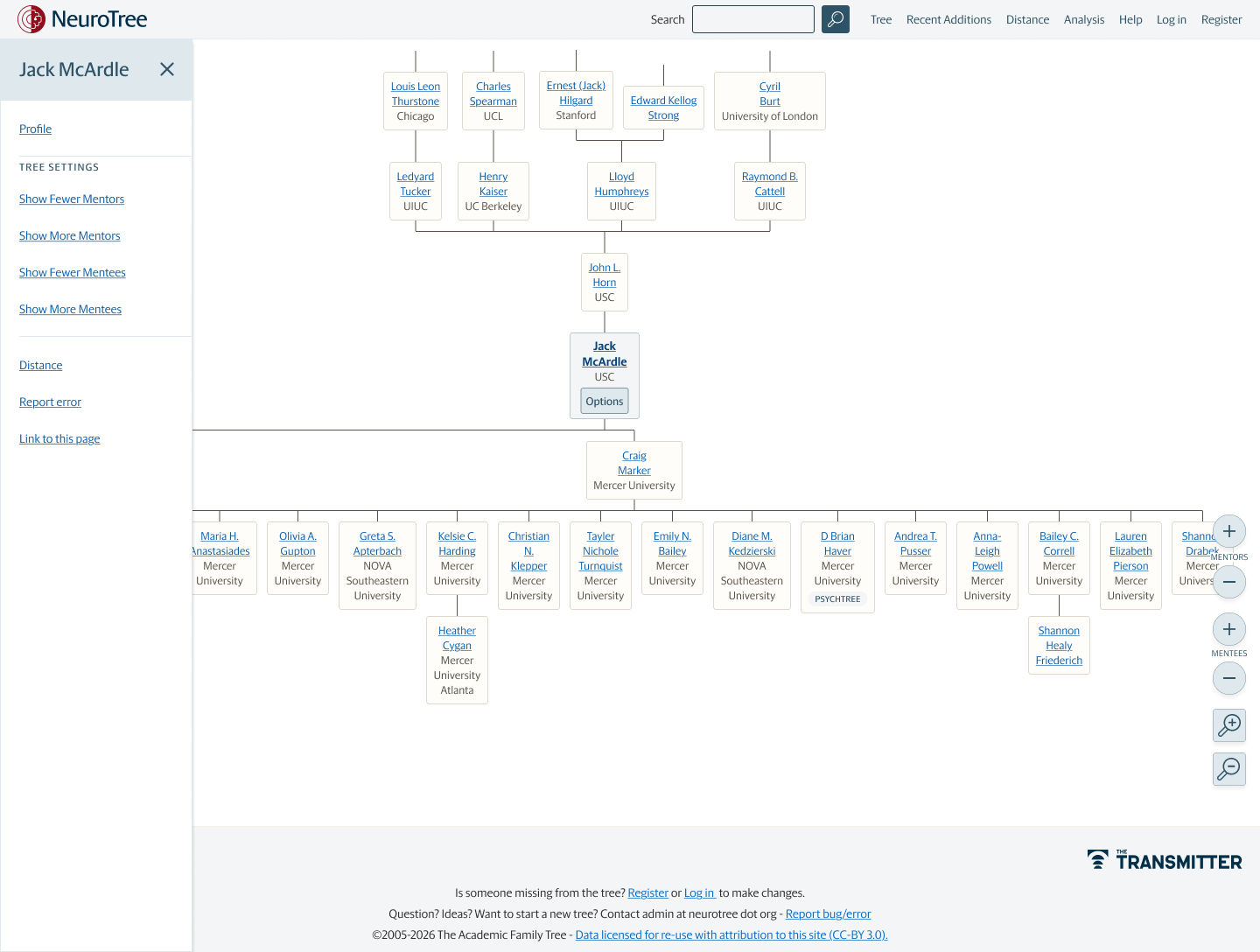
Figure 10
The tree view in the final design, with and without its options panel.
Handing off to development
The final file was written for the developers who would build the page, so it describes what each part is and how it behaves rather than presenting finished screens.
A section library lists the eight sections in page order, from the announcement banner to the footer, each with its size, its states and a sentence describing its purpose. Notes mark the places where content will be entered by the editors in the content management system, such as the featured lineage and the list of notable scientists.
Beside it, a UI library records what the sections actually use. The file already contained 30 colour styles and 64 text styles, and the sections use fourteen of those colours, two of which, Panel Navy and Meta Grey, had been used without a style and were added. It also records seven corner radius values, every button and field with its states, and the card patterns. Interactions are written out in plain language, including the floating welcome card, which waits about 600 milliseconds before sliding in and appears without motion for anyone who has asked their system to reduce it.
Figure 11
The section library and UI library from the handoff file.
Limitations and future work
The habit I would keep from this project is recording every piece of feedback with its date and author, because it made reversals easy to discuss instead of frustrating.
Evaluation
Decisions were made in review with the editorial team, not tested with visitors. Watching how people arriving from an article use the search and the widget would show whether the page does its job. Add any testing you ran.
Logged-in experience
The work focused on the logged-out page, as the editors asked. The logged-in version was drawn for each proposal but received less attention.
Open questions
The placement of the tree graphic for logged-in and logged-out visitors was still being discussed in the final round, and the copy had a deadline of October 9.
Out of scope
A set of ideas, including alternative versions of the widget, was marked out of scope and kept for after the first release.
Building tools for science? Let’s talk.
I partner with research teams, labs, and science publishers to design software and visualizations that make complex research easier to use and understand. Tell me a little about your project.